


Amazing comfort for anyone struggling with heart issues.
Qaly help
A little help. A clearer next step.
Find answers to common questions and explore ways to get more from your ECG recordings.
Browse topics
Account and sign-in
Your login email, duplicate accounts, and verification.
Which email address is my Qaly account using?
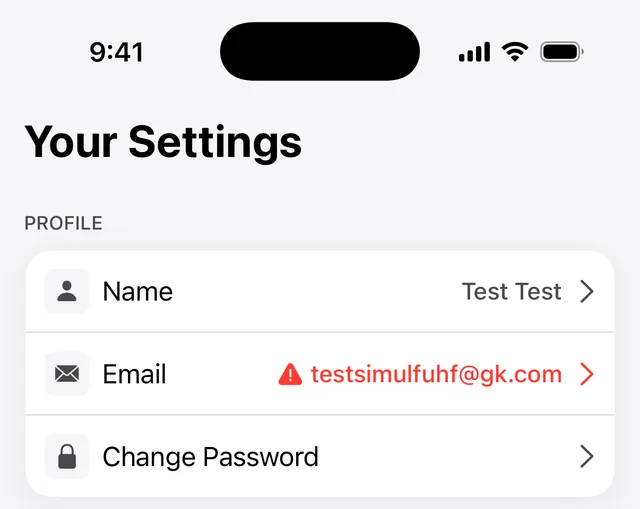
Your Qaly login email is shown in the Qaly app: tap You in the bottom-right corner, and it’s listed under Profile at the top. Include that address whenever you contact support@qaly.co, so we can find your account quickly.
Open the Qaly app and tap You in the bottom-right corner.
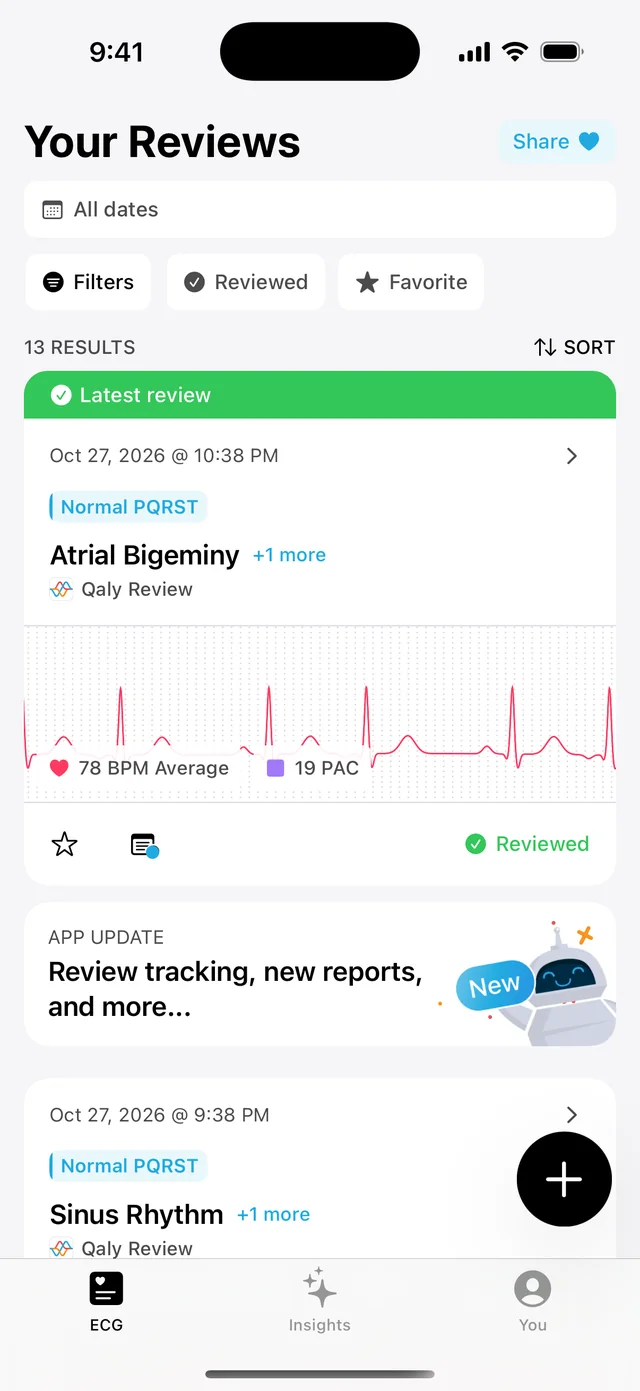
Your login email is shown under Profile, at the top.
Why do I have two Qaly accounts?
You usually have two Qaly accounts because you signed up once with Sign in with Apple, which can share a private relay address instead of your real email, and later signed in with your regular email, which created a second account. Email support@qaly.co with both addresses and we’ll help you sort it out.
Read more about Apple’s private relay addresses.
I didn’t get my verification email. What should I do?
You can send yourself a new verification link from the Qaly app: tap You, then Email, then Send verification link, and check your inbox, including your spam or junk folder. A red warning next to Email means your address isn’t verified yet. If the email still doesn’t arrive, write to support@qaly.co with the address you’re verifying.
Tap You in the bottom-right corner.
Tap Email. A red warning next to it means your address isn’t verified yet.
Tap Send verification link, then check your inbox, including your spam or junk folder.
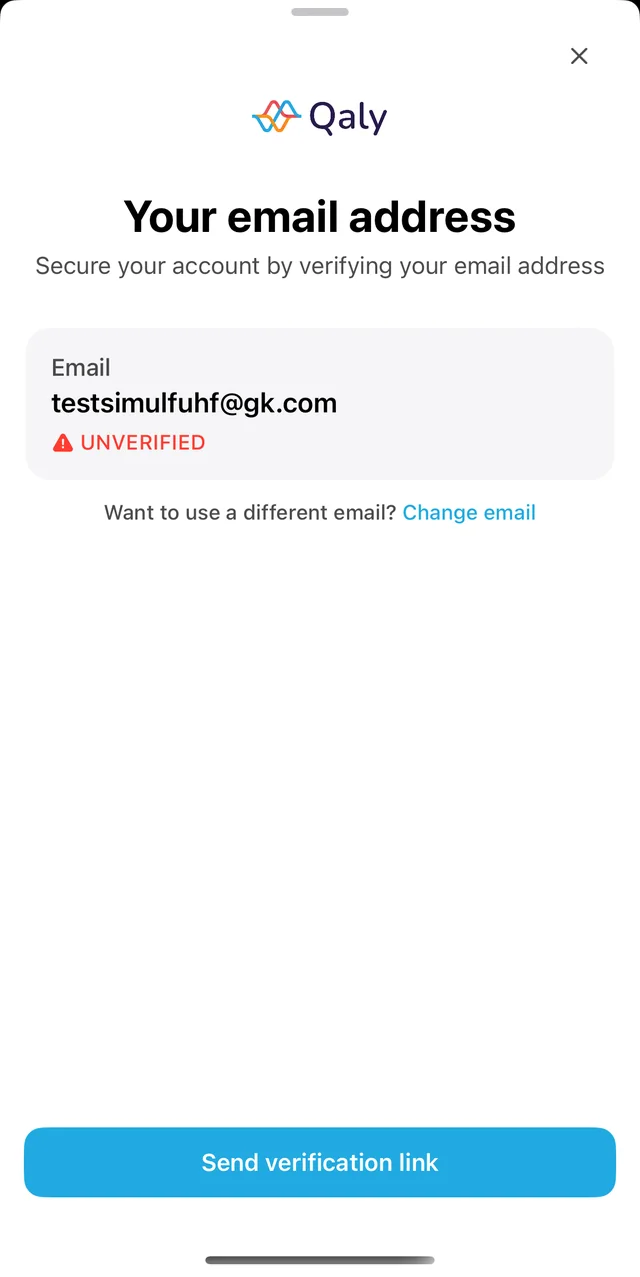
Is the address wrong? Tap Change email on the same screen.