


Amazing comfort for anyone struggling with heart issues.
Qaly help
A little help. A clearer next step.
Find answers to common questions and explore ways to get more from your ECG recordings.
Browse topics
Reports and your data
Reports for your doctor and deleting your account.
How do I create a Qaly report for my doctor?
You can create a PDF report for your doctor in the Qaly app: tap Insights, then Share, choose the timeframe and what to include, and tap Generate report. Qaly builds the report in the background, and when it’s ready it appears at the top of Insights for you to download and share.
Tap Insights at the bottom of the screen.
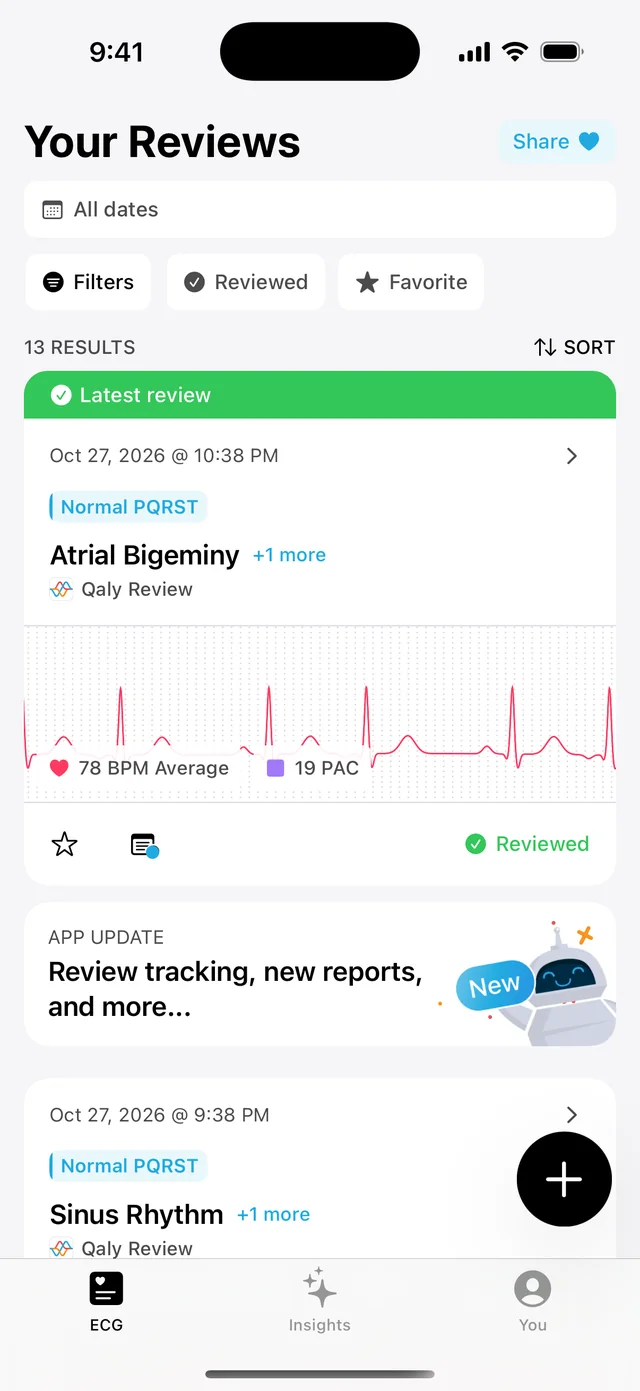
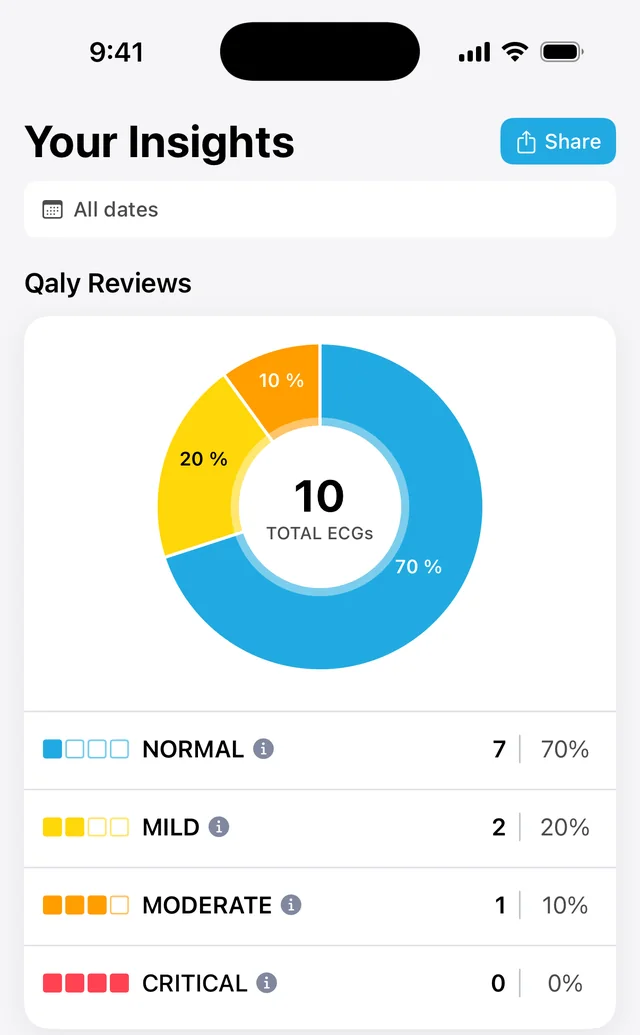
Tap Share in the top-right corner.
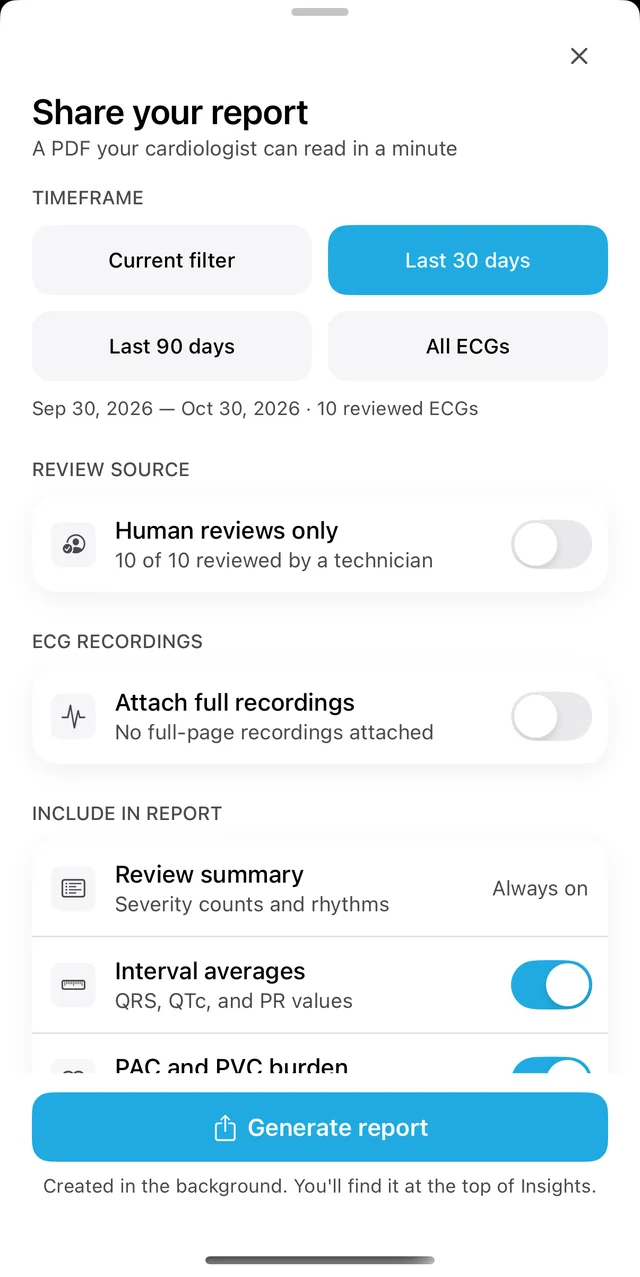
Choose the timeframe and what to include, then tap Generate report.
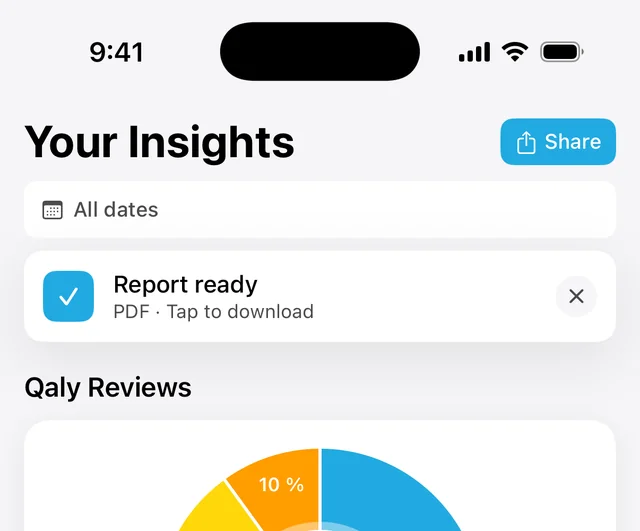
The report is created in the background, which can take a little while if you include a lot of ECGs. When it’s ready, it appears at the top of Insights. Tap it to download it.
How do I delete my account and data?
You can delete your Qaly account yourself in the app: tap You, then Your Data, then Delete my account. This permanently removes your account, your ECGs and technicians’ reviews, and it can’t be undone. To remove only your ECGs, tap Delete all ECGs instead. You can also ask support@qaly.co to delete your account.
Tap You in the bottom-right corner.
Scroll down and tap Your Data.
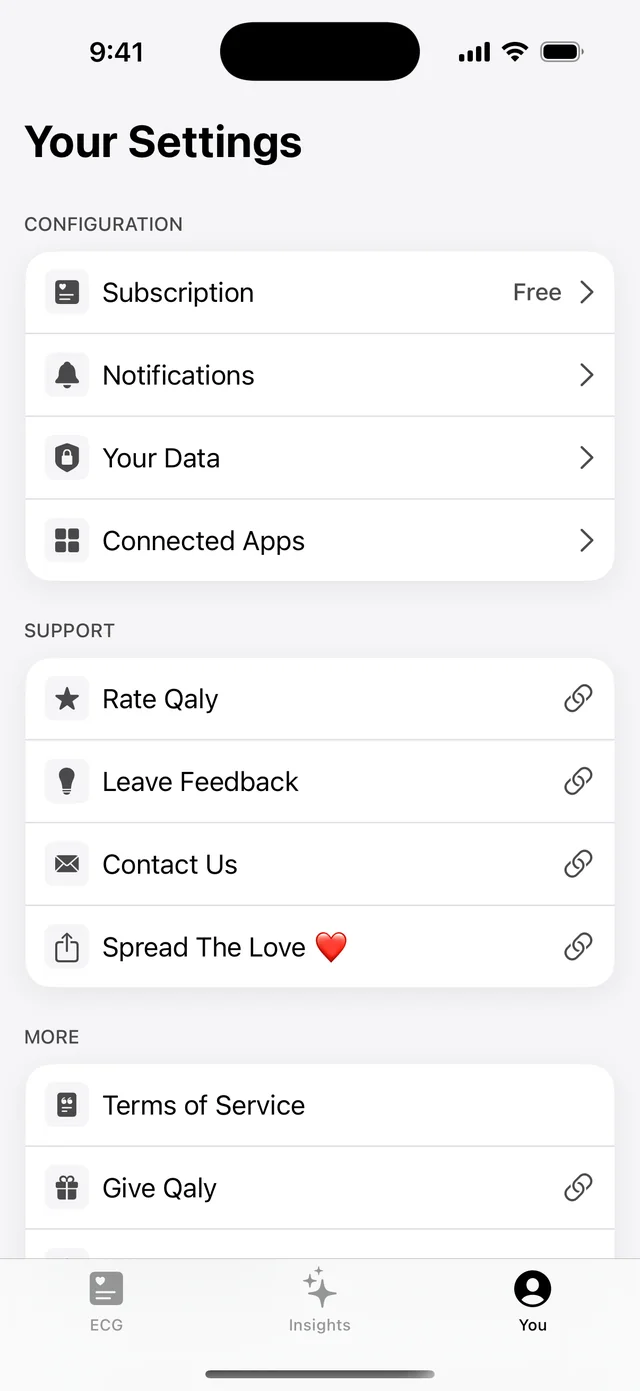
Tap Delete my account and follow the steps on screen.
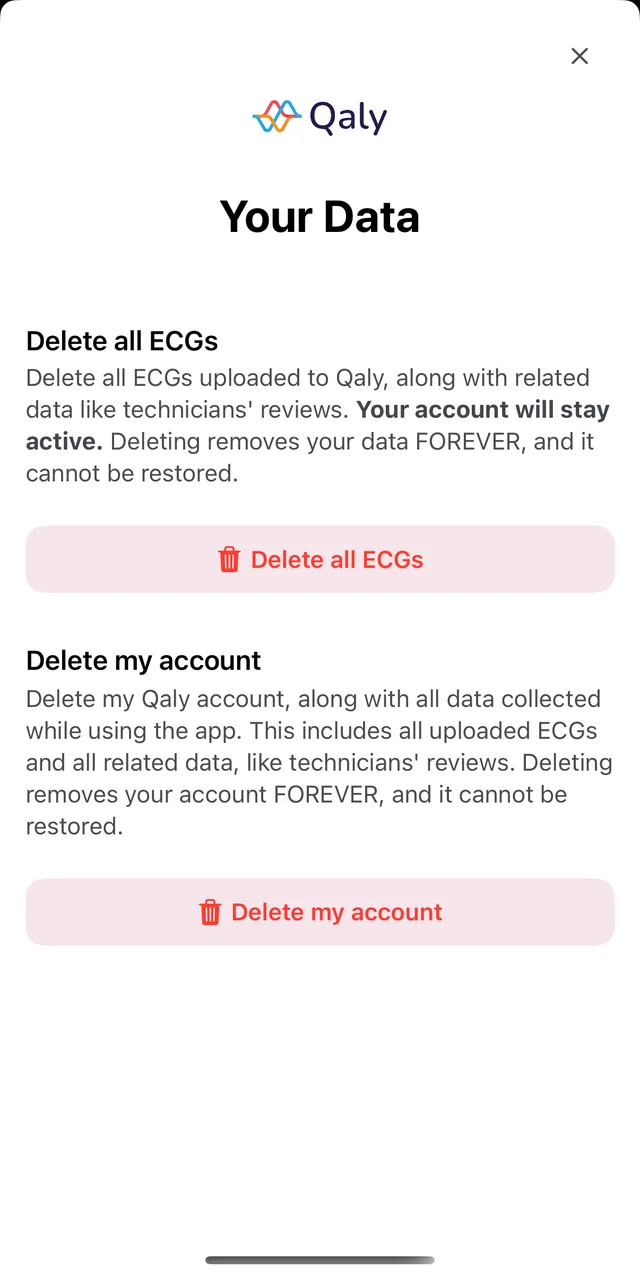
If you tap Delete all ECGs instead, your account stays active.
You can also email support@qaly.co from the email address on your account and ask us to delete it. We’ll reply with a secure link to confirm the request. After you confirm, our team reviews the request and completes the deletion of your account and health data.