




Got other questions on your Fitbit? See the complete set of Qaly guides on the Fitbit ECG:
- What Inconclusive Means on Your Fitbit ECG
- What High Heart Rate Means on Your Fitbit ECG
- What Low Heart Rate Means on Your Fitbit ECG
- How to Read an ECG: Stanford Cardiologist Explains
Steps
1) Open the Google Health app (formerly Fitbit) and go to the "Health" tab.
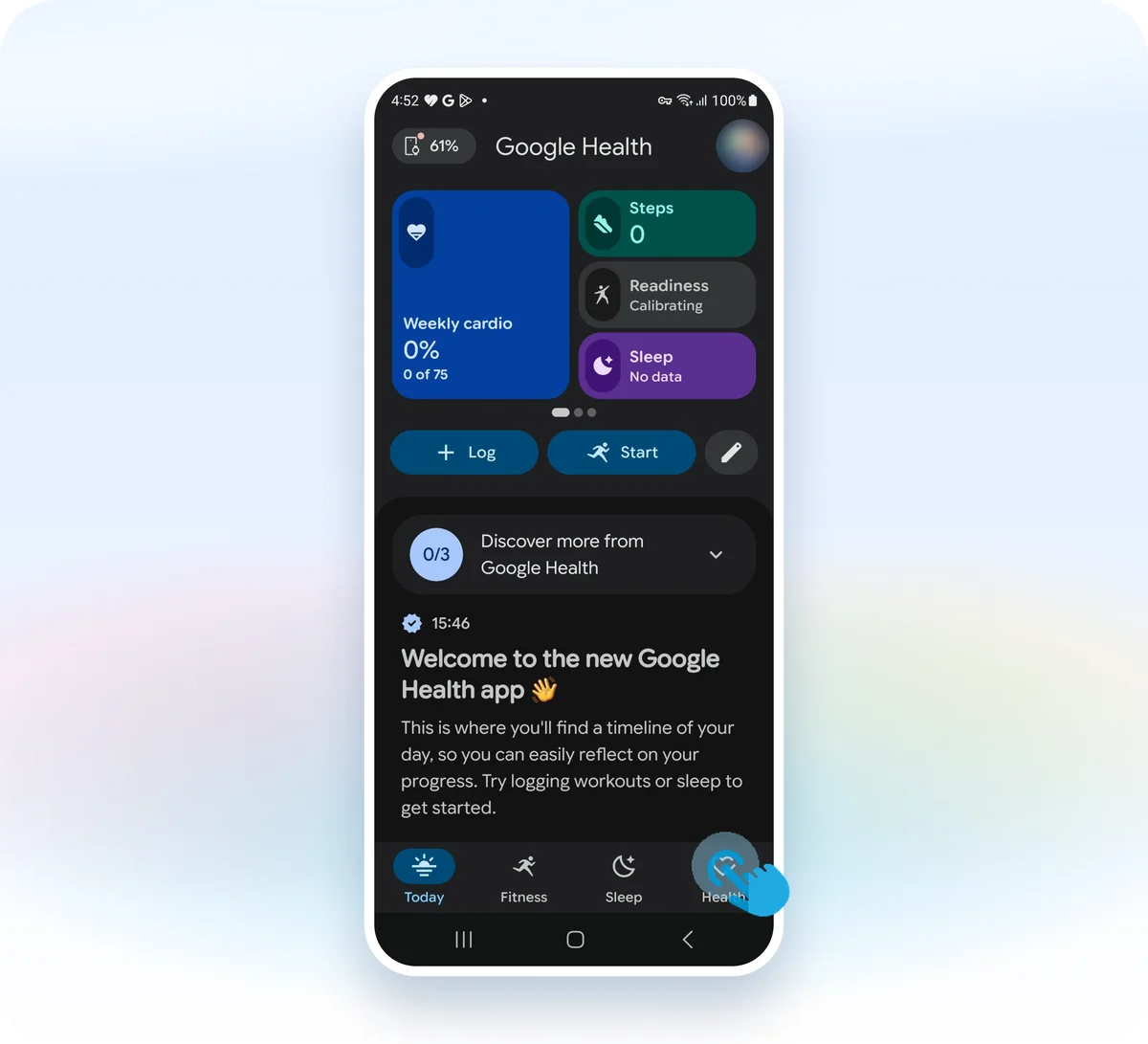
2) Tap the "ECG" card in the "Health Guardian" section.
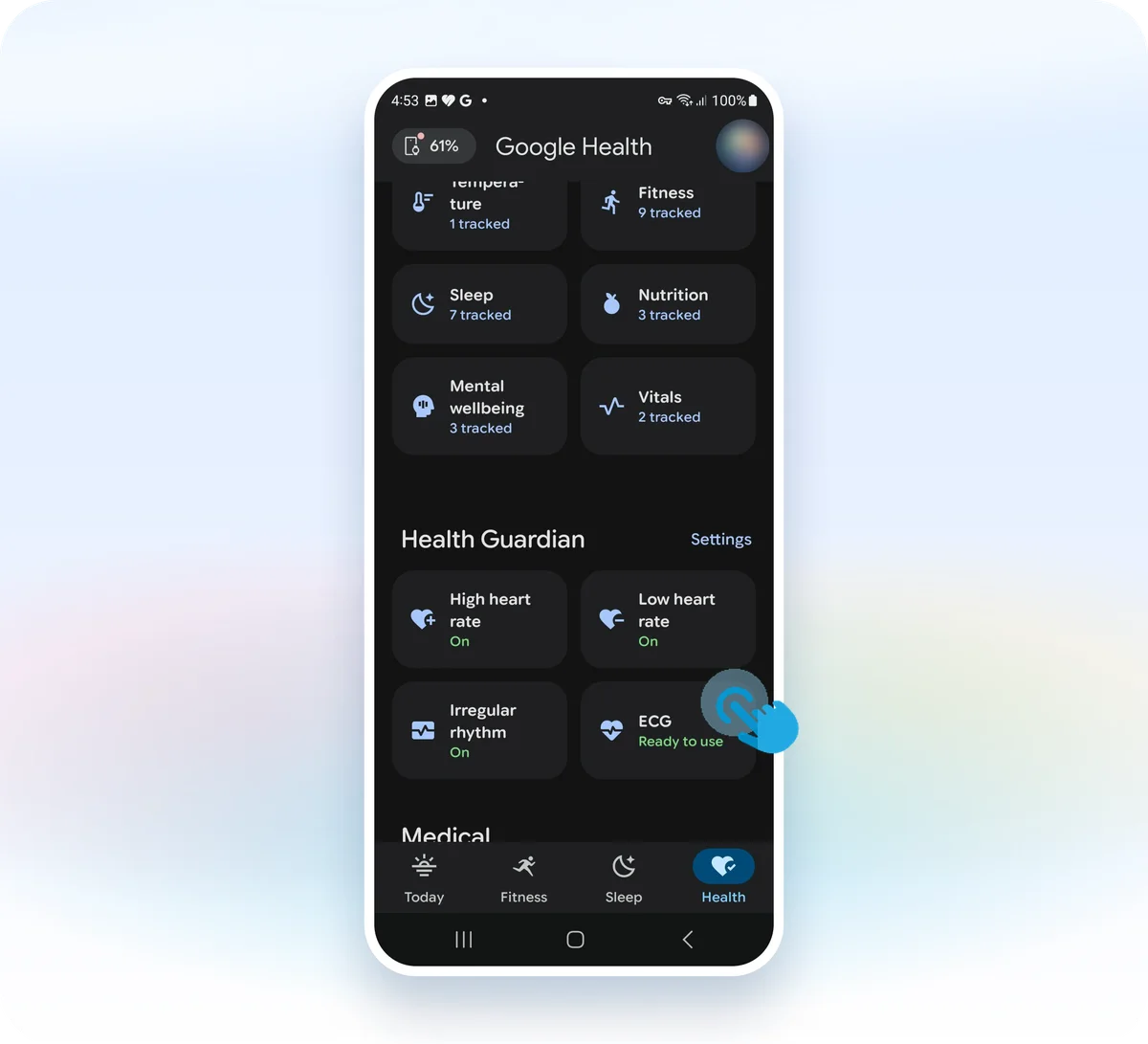
3) Select the ECG you want to export.
4) Tap "Export PDF for your provider."
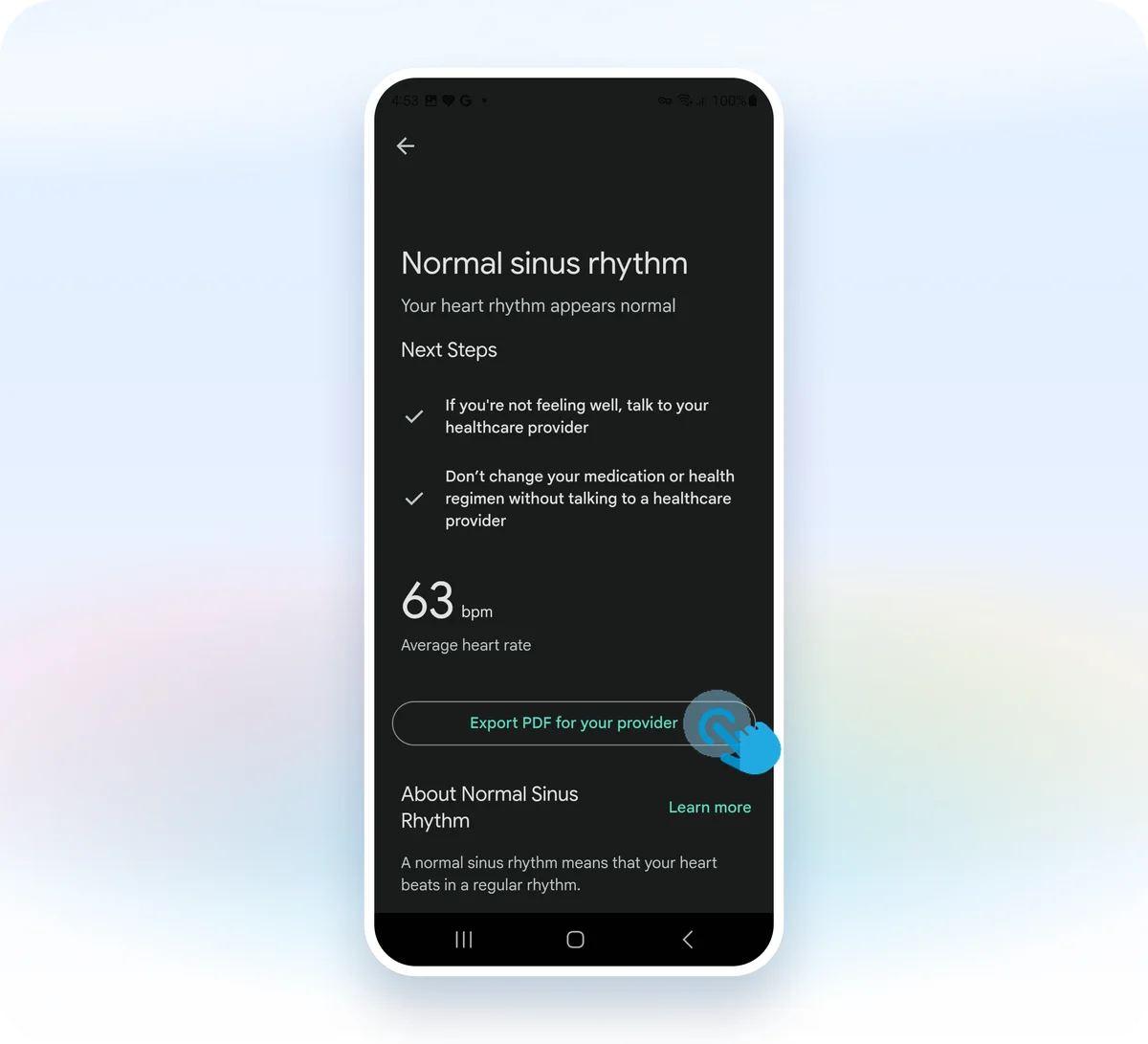
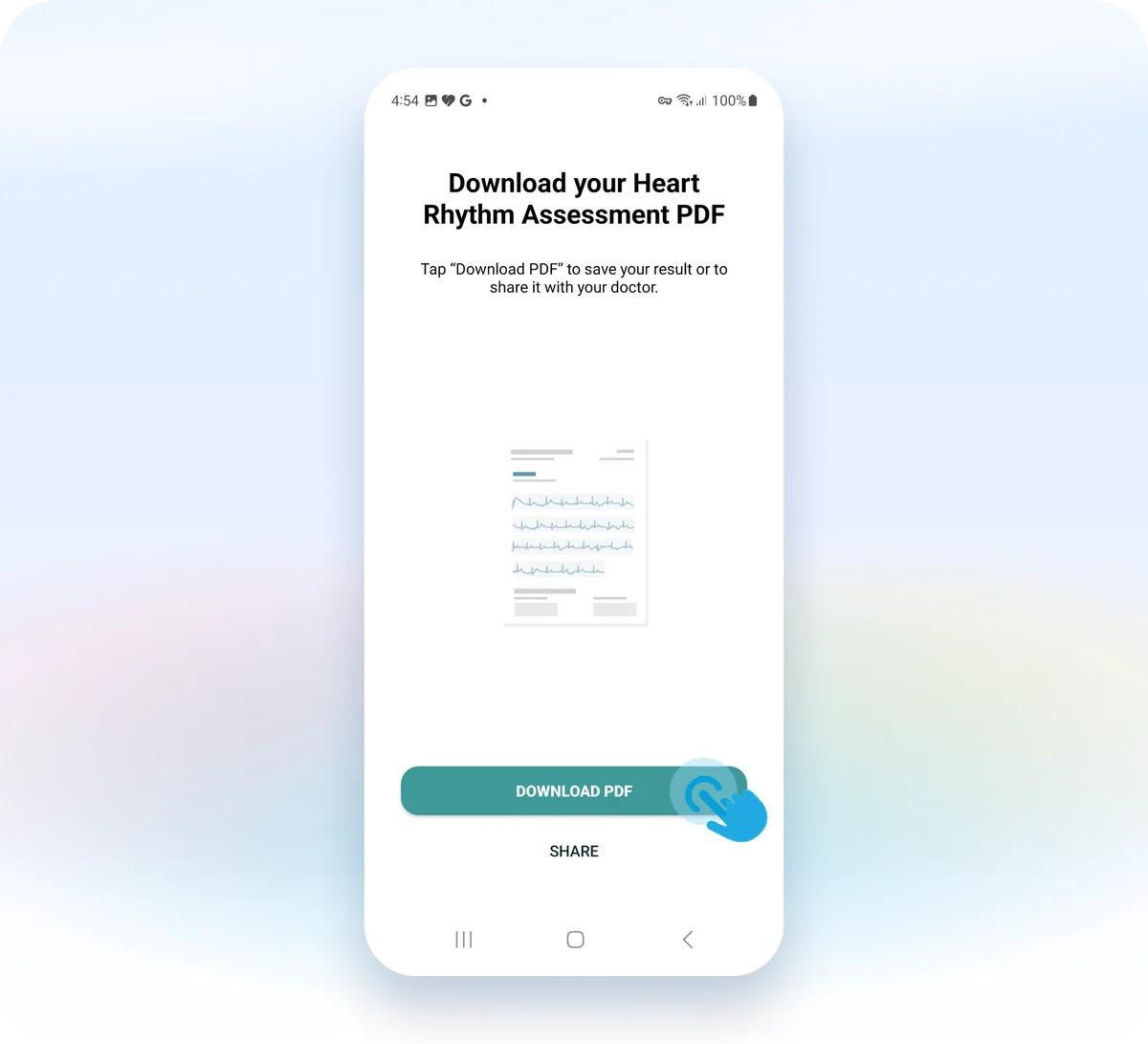
5) Tap "Download PDF" to save the report to your phone.
Conclusion
Well, that just about wraps up our guide on how to export your ECG from the Google Health app (formerly Fitbit). We hope this could be of some help to you.
If you need help interpreting your ECGs, don't worry, we understand how scary and confusing it can be to experience irregular heartbeats. That's why we created the Qaly app for you and for the hundreds of millions of people around the world who live with heart palpitations and abnormal heart rhythms. On the Qaly app, human experts will interpret your Fitbit ECGs within minutes for clarity and peace of mind.
To get started with the Qaly app, grab the Qaly app from the App Store or Play Store today. If you have any more questions, or if you need our help in any other way, don't hesitate to reach out to us at support@qaly.co.
As always from the team at Qaly, stay heart healthy ❤️
Have trouble interpreting your Fitbit ECG? On the Qaly app, human experts will interpret your Fitbit ECGs for arrhythmias and irregular heartbeats within minutes. Get started today.


