


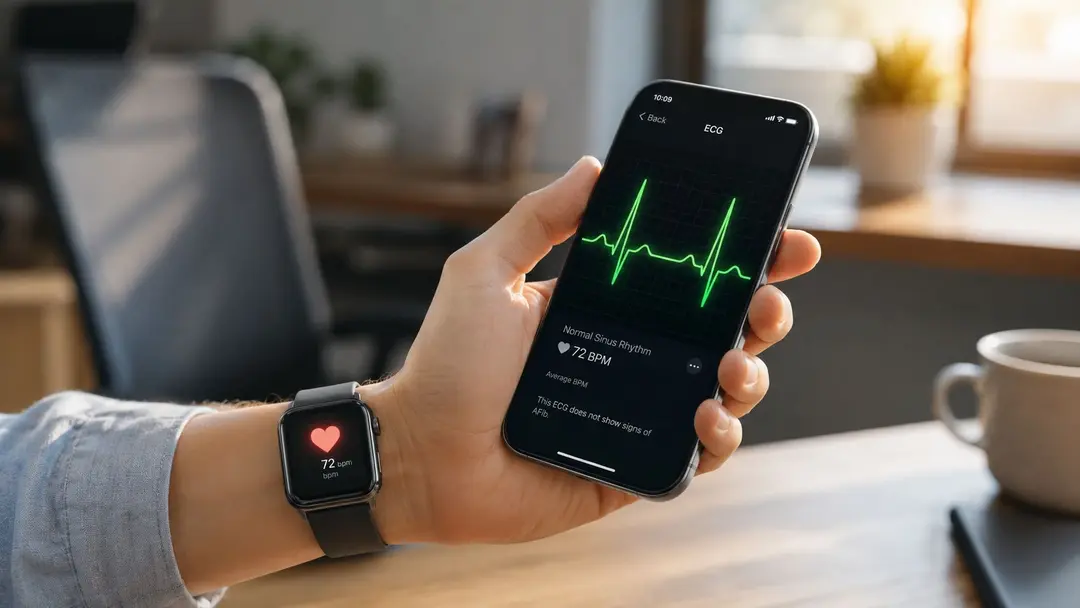


Hello Heart Hero. You're sitting at your desk, lying in bed, or stepping off a treadmill when your heart suddenly flutters, pounds, or seems to skip. You notice the sensation in your chest or throat, quickly run through possible explanations, caffeine, stress, poor sleep, exercise, and reach for your phone.
That moment can feel frightening, especially when the sensation disappears before you can show anyone. Feeling anxious about your heart is normal. A heart rhythm monitor app may help you capture what happened, but it works best when you understand what it can read, what it can miss, and what should never wait for an app. This guide covers the features that matter, realistic accuracy, non-AF rhythms such as PACs and PVCs, human review, and the point at which urgent medical care is the safer choice.
A Moment Your Heart Made You Wonder
You open the app with your thumb already hovering over the recording button. Your heartbeat feels uneven, but by the time the watch or phone is ready, the flutter has softened. You wonder whether the reading will show anything useful or just label the trace “inconclusive.”
That uncertainty is common among people who experience intermittent palpitations. A brief episode may happen while you're working, resting, walking across a room, or trying to fall asleep. You may feel a skipped beat, a rapid thumping sensation, a pause followed by a stronger beat, or a flutter that seems to rise into your throat. None of those sensations tells you by itself which rhythm caused them.
Stress and caffeine can affect how strongly you notice your heartbeat, but they aren't the only possible explanations. Premature atrial contractions, premature ventricular contractions, atrial fibrillation, other fast rhythms, and recording artifacts can all create confusing experiences. A consumer app can provide a useful recording, yet its label is not a substitute for a clinician's interpretation.
A useful mindset: Treat the app as a way to collect evidence, not as a machine that settles every question instantly.
The practical questions are straightforward. What does the device measure? Is an ECG-based app more useful than a pulse-only alert? Can it recognize rhythms beyond AF? How much trust should you place in an “inconclusive” or “possible AFib” result? And when should you stop checking your phone and seek urgent care?
What a Heart Rhythm Monitor App Does
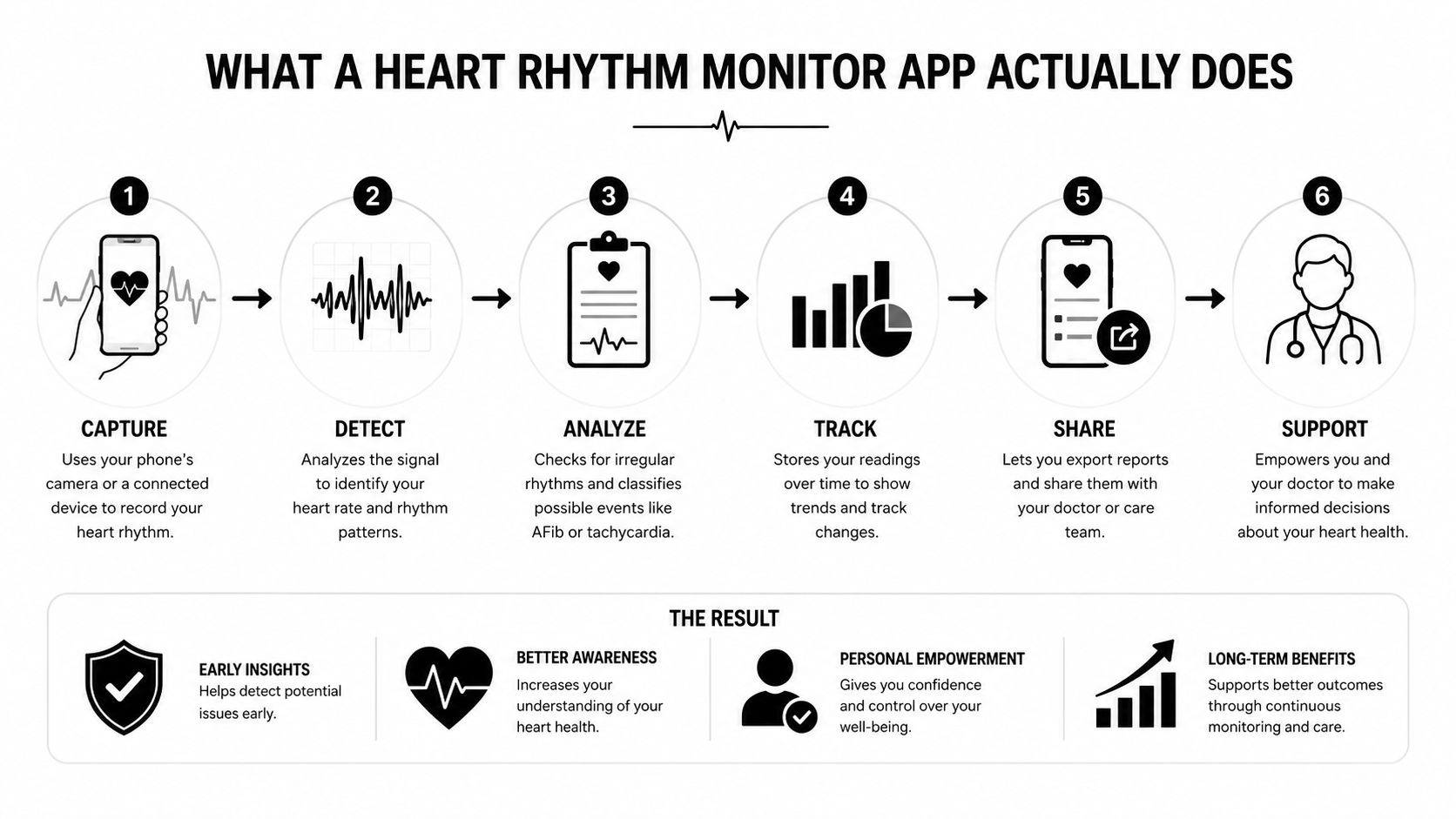
A heart rhythm monitor app turns electrical activity into a recording you can review. The sensor works like a microphone capturing a song. It preserves the pattern, but the recording alone does not explain what the rhythm means or why you felt it.
A smartwatch ECG or chest-connected ECG commonly produces a single-lead tracing. It can show timing and rhythm patterns, yet it views the heart from one direction. A clinical 12-lead ECG examines electrical activity from multiple directions, so the two recordings answer related but different questions.
The process usually follows these steps:
- You place a finger on an electrode or wear the sensor correctly.
- The device detects electrical signals during a recording.
- The companion app receives the tracing.
- An algorithm examines rhythm regularity and waveform features.
- The app displays the strip and a label, such as sinus rhythm, AFib, or inconclusive.
- You save, export, or share the recording for professional review.
The app is interpreting a recording, not diagnosing you on its own. Fit, skin contact, finger placement, movement, muscle tension, and recording duration can make a tracing easier or harder to read. In the BASEL Wearable Study, users pressed the smartwatch crown for 30 seconds to obtain a single-lead ECG. That supports making a deliberate recording during symptoms instead of relying on a quick glance (BASEL Wearable Study details).
An algorithm may flag an irregular pattern, including possible AFib, but ectopic beats such as PACs and PVCs, movement, or weak contact can also produce confusing results. A human reviewer can add context when the label does not match your experience. Digital tools also help healthcare professionals store, transmit, and review information, as described in this overview of the importance of computers in healthcare. For more on recording choices and clinical context, read this heart rhythm monitoring guide.
Features That Separate a Trustworthy App from a Noisy One
A basic detector can label a tracing. A more useful heart rhythm monitor app helps you understand the recording, organize patterns, and communicate clearly with a clinician.
Human review adds context
Ask whether a qualified person reviews the ECG or whether an algorithm delivers the final label. Human review can help distinguish an actual rhythm concern from motion artifact, poor contact, or an irregular rhythm that resembles AF. A certified technician or cardiologist still can't diagnose every condition from a single-lead strip, but professional interpretation adds a safeguard when the automated result doesn't fit your symptoms.
Look beyond AF
Many consumer tools concentrate on atrial fibrillation. Ask whether the service can identify or comment on PACs, PVCs, SVT, atrial flutter, conduction problems, and other non-AF patterns. People often ask whether a “possible AFib” alert reflects AF or a cluster of ectopic beats.
The distinction isn't academic. A rhythm label without context can increase fear, while a clear explanation can help you decide what to discuss with your clinician. A home ECG device may be useful for capturing symptoms, and this guide to home ECG machines can help you compare device types.
Choose reporting that supports trends
Instant alerts suit someone who wants a prompt during a suspected episode. Interval reporting suits someone who wants to review rhythm patterns across repeated recordings. Ask whether the app summarizes rhythm burden, provides interval measurements, and creates a readable PDF that you can send to a healthcare professional.
Compatibility deserves equal attention. Check whether the app accepts recordings from your Apple Watch, Fitbit, Garmin, KardiaMobile, Samsung device, Withings watch, or chest strap. Finally, read the privacy terms. Find out where recordings are stored, who can access them, whether you can delete them, and whether the company sells data or uses it to train models.
How Accurate Are These Apps Really
Wearable ECG algorithms can perform strongly when they classify a clear recording as AF or not AF. A review of wearable studies reports pooled or study-level sensitivity commonly around 94% to 97% and specificity around 96% to 99%, with some studies reporting sensitivity as high as 100% in controlled or supervised settings (review of wearable AF detection).
Those figures describe a specific task. They don't mean that every heartbeat, every rhythm, or every recording will be interpreted correctly in daily life. Poor electrode contact, movement, muscle tension, and a high prevalence of non-AF irregular rhythms can change the false-positive burden.
| Device or Method | Target Rhythm | Sensitivity | Specificity | Key Limitation |
|---|---|---|---|---|
| Smartwatch ECG study | AF | 86% | 94% | Results depend on recording quality and supervised conditions |
| Single-lead ECG smartwatch meta-analysis | AF | About 95% | About 97% | A single lead cannot replace a clinical 12-lead ECG |
| Wearable ECG and smartwatch studies | AF | Commonly around 94% to 97% | Commonly around 96% to 99% | Real-world false positives can rise with artifacts and non-AF rhythms |
The comparison figures come from an independent review of ECG-based wearables (review of smartwatch ECG accuracy). ECG-based tools generally outperform PPG-only approaches when the goal is clinically actionable rhythm classification, but a good AF classifier may still perform poorly with PACs, PVCs, SVT, atrial flutter, or AV block.
False positives often have identifiable causes. Signal artifact, sinus arrhythmia, atrial flutter with variable conduction, frequent PACs, and atrial tachycardia can all produce confusing segments, as discussed in this review of wearable AF detection limitations. Another study found automatic diagnosis failed in about 1 in 5 patients, with false-positive AF alerts more common among people with PVCs, while atrial tachycardia and atrial flutter were poorly identified (study of smartwatch ECG and PPG screening).
A human-reviewed interpretation layer can identify obvious artifact and describe rhythms that a binary algorithm may group incorrectly. You can read more about the distinction in a cardiologist's guide to the smartwatch ECG.
How to Pick the Right App for Your Situation
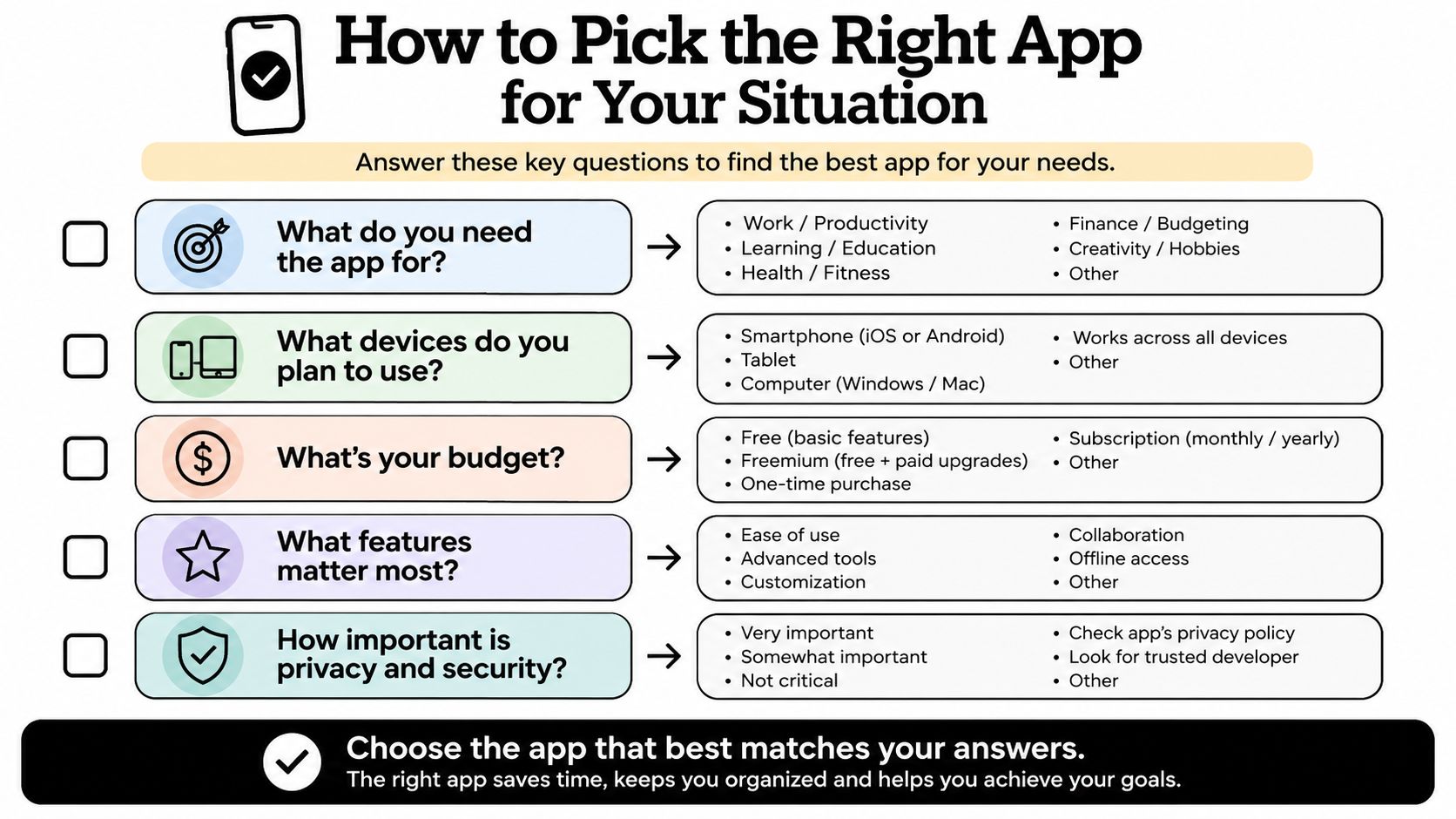
Begin with the moment you want help understanding. If palpitations come and go, symptom-triggered recordings may matter more than background notifications. If you already manage AF, repeated measurements, trend reports, and easy sharing with a clinician may matter more. A useful app should support your questions about PACs, PVCs, and other rhythms, not only flag AF.
Compare the review model
Fully automated apps offer quick labels and alerts. They may suit someone who recognizes a familiar pattern and knows what action to take. For others, an unexpected alert can create a cycle of checking and worry. A qualified human reviewer can examine the strip, separate possible artifact from ectopic beats, and explain when the recording does not fit a simple algorithmic label.
Check device freedom
Choose an app that accepts recordings from the device you will use during symptoms. Check compatibility with Apple Watch, Fitbit, Garmin, KardiaMobile, Samsung devices, Withings watches, or a chest strap. This guide to ECG apps for Apple Watch can help you compare options. The practical question is simple: Can you send the recording you'll capture during symptoms?
Look at the report, not only the alert
Read a sample report before choosing. Look for the rhythm label, a plain-language explanation, and interval readings such as PR, QRS, and QTc. Check whether you can export a PDF for your cardiologist and whether the app summarizes intervals instead of alerting you about every isolated irregularity.
Review privacy and pricing with the same care. Find clear terms for storage, access, deletion, subscriptions, trials, cancellation, and model training. The right choice is the one that fits your device, symptoms, tolerance for uncertainty, and need for human review.
Get your ECG checked by certified experts within minutes on the Qaly app.


Real Reasons People Open a Heart Rhythm App
A college student may notice flutters during finals and wonder whether stress, caffeine, or a rhythm problem is responsible. A symptom-triggered ECG taken while the sensation is happening may be more informative than a background pulse notification, because it gives you a recording tied to the exact moment you felt something.
A new mother may notice skipped beats after delivery and want a record for a follow-up appointment. A middle-aged golf coach may feel occasional racing episodes that never appear during a short clinic visit. In both situations, the practical goal is to capture the rhythm during symptoms, write down what was happening, and share the recording with a healthcare professional.
A retiree checking in after cardioversion may use repeated recordings to document how they feel between appointments. That monitoring can support a conversation about recurrence, but it can't replace the clinician's plan or confirm that every symptom represents AF.
Recording habit: Note the time, symptoms, activity, medication timing, caffeine, and whether the recording was taken at rest. Context makes a strip easier to interpret.
People also use wearable ECGs during post-ablation follow-up, while discussing beta-blockers or antiarrhythmic medicines, or while changing lifestyle habits related to heart symptoms. A symptom-triggered recording is usually strongest when the episode is happening. Passive monitoring can provide broader awareness, but PPG-based alerts measure pulse patterns rather than the heart's electrical activity.
The American College of Cardiology's 2025 guidance places Apple Watch use in general wellness, preclinical use, or management of already-known arrhythmias such as AF burden tracking. It strongly advises continuous ECG monitoring when immediate clinician notification is needed (ACC guidance on Apple Watch heart monitoring).
When Monitoring Becomes a Call for Help
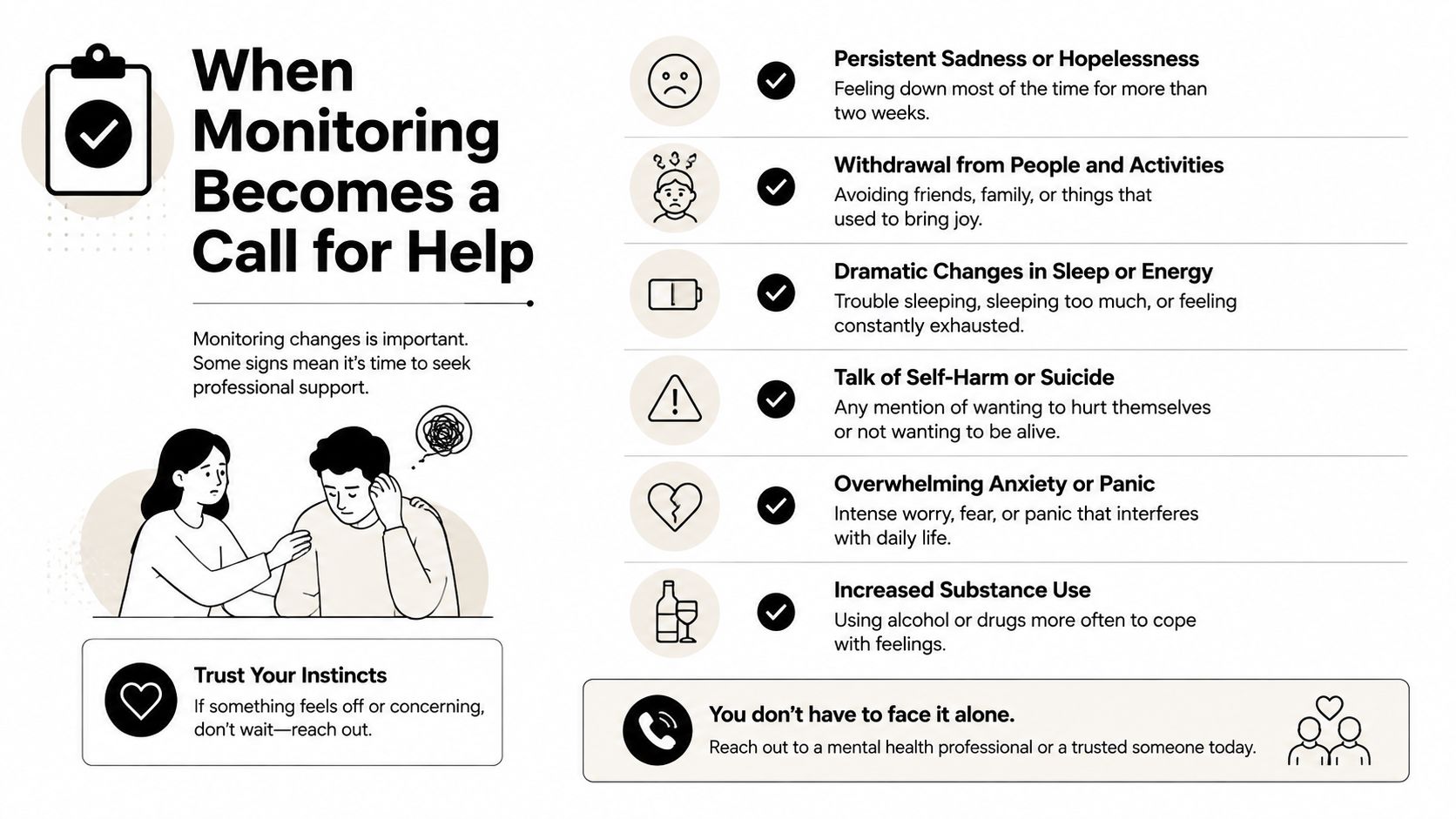
You may open a heart rhythm monitor app after sudden chest discomfort or breathlessness, hoping a recording will explain what is happening. If symptoms suggest an emergency, put the phone aside. Chest pain, pressure, or tightness, sudden shortness of breath, fainting, near-fainting, confusion, or severe weakness call for urgent medical attention, not a perfect app recording.
Call emergency services for stroke-like signs such as facial drooping, arm weakness, or slurred speech. Seek urgent evaluation for a rapid, sustained heart rate above 120 beats per minute at rest without an obvious explanation, especially if you feel unwell. A phone label cannot assess how stable you are or rule out a dangerous cause.
Use a simple decision rule
- Severe or sudden symptoms: Get urgent medical help first. Share a saved recording afterward.
- Chest or breathing symptoms: Call emergency services instead of waiting for an app result.
- Fainting or near-fainting: Arrange prompt evaluation, even if your rhythm returns to normal.
- Neurological changes: Treat facial drooping, arm weakness, or speech difficulty as an emergency.
- Concerning app alert: Follow your clinician's action plan, particularly when symptoms are present.
An app may flag sustained tachycardia, a very low heart rate with symptoms, possible AF, or another rhythm such as PVCs or PACs. That signal can guide a conversation, but it cannot show whether you are stable or confirm the rhythm by itself. Wearable screening can start the evaluation, while guidelines recommend confirmation with a physician-interpreted ECG before treatment decisions (guideline summary on wearable AF screening).
False alarms can feel frightening, and that reaction is understandable. Knowing when to seek a human assessment is part of using monitoring safely, not a failure of self-monitoring.
Bringing It All Together
You've covered a lot, and some uncertainty may remain. That's reasonable. Heart rhythm monitoring is useful precisely because symptoms can be intermittent, recordings can be imperfect, and a device label can't provide the full clinical picture.
Use this decision framework:
- Define your purpose. Decide whether you want symptom recordings, post-event follow-up, medication-related tracking, or general awareness.
- Match the app to your device. Confirm compatibility with the watch, handheld ECG, or chest strap you'll use.
- Look for meaningful reports. Prioritize interval readings, trend summaries, PDF export, and a clear way to share records with your clinician.
- Ask about rhythm coverage. Find out whether the service addresses PACs, PVCs, SVT, atrial flutter, and other non-AF patterns, rather than focusing only on AF.
- Understand review and privacy. Check whether trained professionals review recordings, where data is stored, who can access it, and whether the subscription and cancellation terms are clear.
- Calibrate expectations. False positives happen. Symptoms and red flags matter more than an isolated app label.
Qaly fits this framework as one option that accepts ECG recordings from devices including Apple Watch, Samsung, Fitbit, Withings, Kardia, and Holter monitors, and offers human review by certified cardiographic technicians for rhythms beyond AF. It also provides interval readings and reports that can be shared with healthcare providers.
The right heart rhythm monitor app should become a quiet companion, not another source of panic. Choose the tool that matches your situation, record symptoms thoughtfully, and keep emergency warning signs visible. Your next small step can be simple: check your device compatibility, review the app's privacy and human-review policies, and discuss any recurring or concerning recordings with your healthcare professional.
If palpitations are happening now with chest pain, shortness of breath, fainting, confusion, or stroke-like symptoms, call emergency services immediately. Otherwise, choose a compatible ECG app, capture a calm recording during symptoms when safe, and bring the saved report to your clinician for proper interpretation.
Choosing a rhythm app? Certified experts review your ECG within minutes for clarity to share.


