


Key Takeaways

User Profile
Hello Heart Hero.
You feel a flutter in your chest. Then a pause. Then one hard thump that makes you stop what you're doing and wonder if something is wrong. Maybe you've tried to explain it before and felt brushed off, or maybe you're still waiting for an appointment while your mind keeps filling in the blanks.
That kind of uncertainty is exhausting.
Many people looking for a heart iPhone app aren't chasing gadgets for fun. They're trying to answer a simple, urgent question: What is my heart doing when I feel this? Your phone can help, but only if you understand what these apps can and can't do. Some give you a rough pulse check. Others work with wearable ECG devices and help turn a scary moment into something you can record, review, and discuss clearly.
A lot of confusion starts when people assume every heart app does the same thing. They don't. Some are basic. Some are much more useful. And if you're trying to understand wearable ECG alerts, this cardiologist's guide to the smartwatch ECG is a strong place to start.
Making Sense of Your Heart's Signals with an iPhone App
A heart symptom can feel huge even when it lasts only a second.
One skipped beat during a meeting can stay in your head all day. A brief racing spell before bed can make sleep harder. When that happens, your phone often becomes the first place you look for answers because it's already in your hand and it feels faster than waiting for the healthcare system to catch up.
Why the phone feels like a lifeline
A good heart iPhone app can give structure to a chaotic moment. Instead of relying on memory later, you can capture what happened close to the event, save the reading, and notice whether the same feeling keeps showing up under similar conditions.
That matters because heart symptoms are often intermittent. You may feel normal by the time you reach a clinic. You may also struggle to describe the sensation clearly. Was it fast, irregular, pounding, or just anxiety? Those details blur quickly.
Practical rule: The value of a heart app isn't just the reading itself. It's the context it helps you preserve when symptoms come and go.
What reassurance should actually look like
Real reassurance doesn't come from staring at a blinking number and hoping for the best. It comes from understanding what kind of signal you're looking at.
If an app only tells you your pulse is fast, that may not answer much. If a wearable ECG captures the rhythm during the episode, you're much closer to a useful next step. That's where these tools become less about novelty and more about clarity.
People who feel skeptical of the usual medical path often want something more concrete before they seek care again. That's reasonable. Better data can make those conversations more focused and less dismissible. The goal isn't to replace professional care. It's to show up with something more useful than, "My heart felt weird for a second."
What Is a Heart iPhone App and How Does It Work
A heart iPhone app can mean two very different things, and mixing them up causes a lot of frustration.
The first type uses your phone's camera to estimate heart rate. The second type works with an external sensor, such as an Apple Watch or another ECG-capable device, and uses the iPhone as the place where data is displayed, stored, and reviewed.

Two categories that sound similar but aren't
Think of a camera-based app like listening to a car engine from outside the hood. You might tell whether it's revving faster or slower.
An ECG setup is more like looking at the engine's electrical diagram. You can see timing and pattern in a much more detailed way.
Apple's iPhone by itself does not measure heart rate because it lacks the physical sensor hardware. In iOS, heart data is typically shown in the Health app after a sensor-equipped device such as Apple Watch collects it, and independent validation research found that two iOS camera-based heart-rate apps had relatively weak correlations with ECG during moderate-to-vigorous exercise in contrast with a Polar chest strap that showed correlations above 0.95 against ECG at each time point in that study (validation research on smartphone apps and ECG comparison).
Why external sensors matter
When you move, sweat, or change pressure on the camera, signal quality can drop. That's one reason phone-camera methods can feel inconsistent in real life.
A wearable sensor changes the experience. The watch or device gathers the signal. The iPhone then becomes the hub where you review history, organize readings, and sometimes share them for interpretation. If you're trying to understand how ongoing collection differs from one-off checks, this overview of continuous monitoring for wearable users helps explain the difference.
The simple version
The easiest way to understand it is:
- Camera apps can give a rough pulse estimate in ideal conditions.
- Wearable-linked apps can store readings from devices that have sensors.
- ECG-focused workflows are more useful when your concern is rhythm, palpitations, or whether an event needs follow-up.
A phone screen is excellent for reviewing heart data. It isn't the same thing as being the sensor.
Essential Features Your Heart App Should Have
A good heart app should help you answer one stressful question: "What was my heart doing when I felt that?"
That matters more than polished charts or catchy promises.
Start with a reliable signal
An app can only be as useful as the signal it receives. If the input is noisy, the result can be confusing. It is a little like trying to understand a phone call with static on the line. You may catch parts of it, but the missing pieces matter.
For that reason, check whether the app works with a device that can capture ECG or other heart data clearly and consistently. If you use heart data during workouts or recovery, personalized zone 2 insights may also help you separate a normal training response from something that feels unusual.
Compatibility matters too. Some apps only work with one watch or one phone model. Others support a wider range of devices. Before you commit, make sure the app fits the hardware you already own or plan to use.
Look for history you can review
One reading can reassure you for a moment. A timeline helps you learn.
The better apps let you save episodes, add symptoms, and review patterns over days or weeks. That is how you start turning a scary, isolated moment into something more understandable. If you felt flutters after poor sleep three times in one week, that pattern is more useful than one number viewed once and forgotten.
Helpful trend features include:
- Saved ECGs or rhythm strips you can revisit later
- Symptom notes for dizziness, fluttering, chest awareness, or skipped beats
- Time stamps so you know when the episode happened
- Sharing options so you can send the recording for review if needed
If you use an Apple Watch, it also helps to understand what its ECG can and cannot tell you. This explanation of Apple Watch ECG accuracy and its limits gives useful context before you rely on a reading.
Choose interpretation, not just collection
This is the feature that changes a heart app from a gadget into a guide.
A basic app may tell you your heart rate was fast or that a tracing was recorded. That still leaves a worried person with the hardest part. Was this a harmless extra beat, recording noise, or a rhythm that deserves follow-up?
The most helpful ECG apps go beyond automatic labels and include some form of trained human review. That added layer matters during palpitations, because symptoms often pass quickly and the uncertainty can linger much longer. A clinician or trained reviewer can help explain whether the tracing looks readable, whether intervals such as PR, QRS, or QTc need attention, and whether the result fits the symptom you felt.
Look for these features:
- Human review of ECGs, not only automated classifications
- Clear interval measurements when appropriate
- Plain-language explanations instead of dense technical terms
- Reasonable turnaround time so you are not left waiting and worrying
- A simple path to ask follow-up questions
Raw data is helpful. Interpreted data is usually what brings relief.
Do not skip the practical details
Privacy and usability matter when health worries are involved. If an app stores sensitive heart data, it should explain where that data goes, who can see it, and how you can delete or export it.
The app should also be easy to use during a real symptom. That sounds obvious, but it is easy to miss. If you feel a sudden pounding heartbeat, you do not want to tap through confusing menus while the episode fades. A strong app makes it quick to record, label, save, and review what happened.
The best choice is usually the app that helps you capture the moment, understand the tracing, and decide your next step with less guesswork.
When a Heart Monitoring App Can Provide Peace of Mind
A heart app becomes most helpful when it solves a real-life problem, not just when it displays a number.
During brief palpitations
Say your heart suddenly flutters while you're walking to the kitchen. Ten minutes later, you feel fine. If all you have is memory, you may end up telling a clinician, "It was strange and fast, I think."
A recording is different. Even if the event is short, capturing what happened close to the moment gives you something concrete to save and discuss. That can lower the feeling that you're stuck guessing.


After a hospital stay or procedure
Home can be the hardest place to feel confident again. You're no longer surrounded by monitors, but you're paying closer attention to every sensation.
A wearable-linked heart app can help you keep a record of symptoms and rhythm checks during recovery. It doesn't replace medical follow-up, but it can make day-to-day changes feel less mysterious.
When you're starting or adjusting medication
Some people want extra reassurance when a medication may affect the heart's electrical timing. In that setting, detailed interval review can be more useful than a generic "normal" label because it gives a more specific way to monitor changes over time.
That doesn't mean you should interpret medication risk alone. It means better records can support a more informed conversation with your clinician.
Why this approach took off
Phone-based heart monitoring moved into the mainstream in 2015, when Stanford launched MyHeart Counts, a first-of-its-kind study tool built on Apple's ResearchKit framework. Stanford said the app was designed to collect physical activity and cardiac risk-factor data, provide participants with a detailed heart-health assessment, and use the iPhone's built-in motion sensors plus a 6-minute walk test. It was initially available in the United States for iPhone 5s, iPhone 6, and iPhone 6 Plus (Stanford's MyHeart Counts launch details).
That moment mattered because it showed that phones could do more than count steps. They could help gather meaningful heart-related information in everyday life.
The Qaly Difference Beyond Device-Only Readings
A common moment goes like this. Your heart flutters, you open your app, you record an ECG, and then you stare at the result wondering what it means for you.
The device did its part. Your question is still unanswered.
Why interpretation matters more than another alert
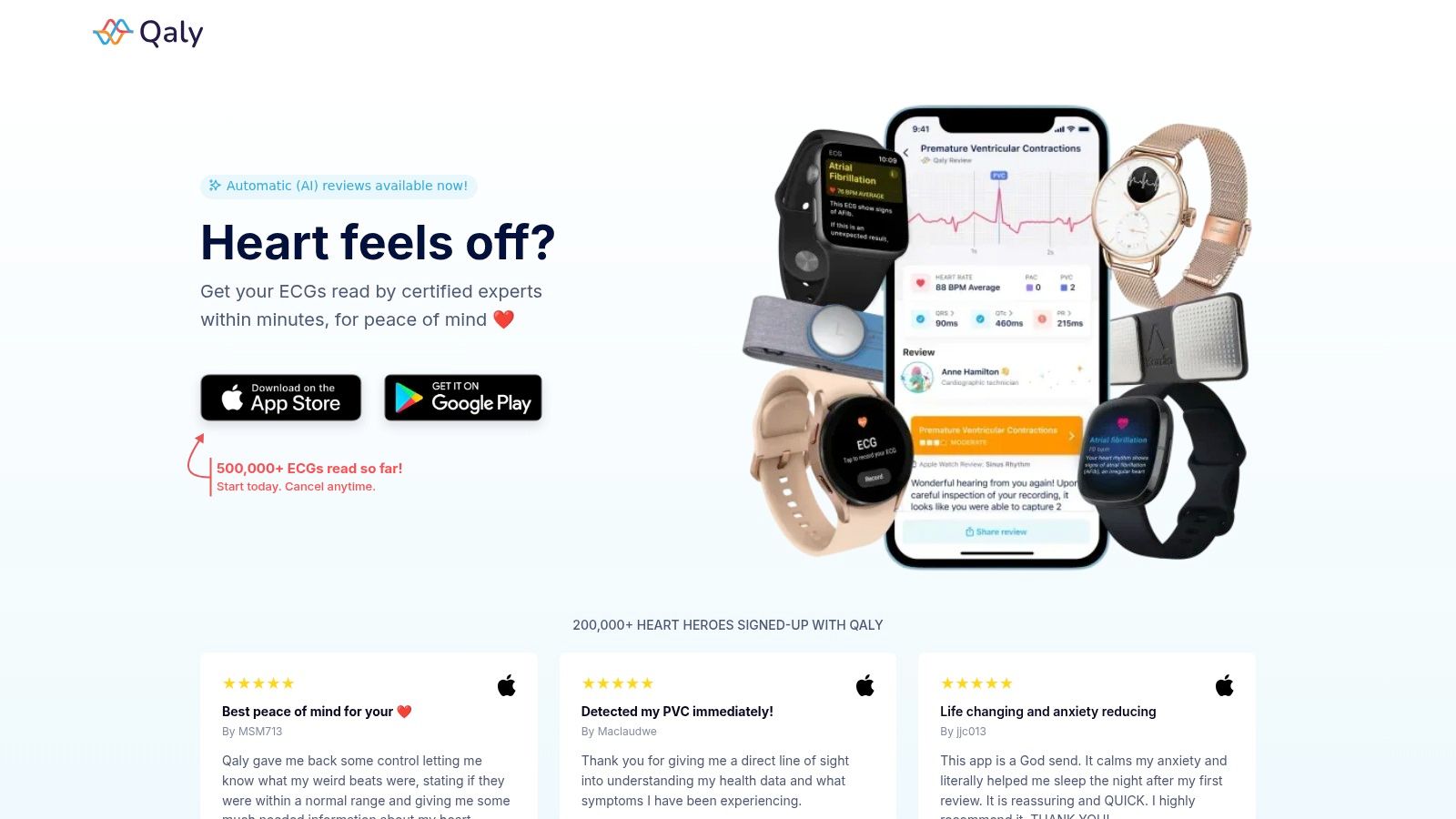
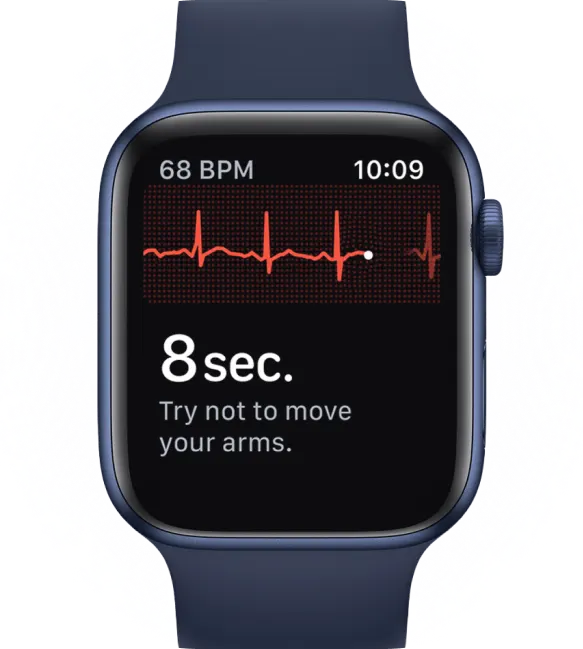
An ECG alert works a lot like a car dashboard light. It tells you to pay attention. It usually does not explain whether the issue is minor, whether the reading was distorted by motion, or whether the pattern should be reviewed soon.
That gap can feel especially stressful during a palpitation. Many people are not looking for another notification. They want a clear explanation in plain language. They want to know what the tracing shows, whether the recording quality is good enough to trust, and whether the result looks reassuring or worth discussing with a clinician.
That is the difference between collecting heart data and understanding it.
One example of a human-reviewed option
Qaly is one option built around that need. Users can submit wearable or at-home ECG recordings through the app for review by certified cardiographic technicians. Instead of stopping at a device label, the review can include rhythm interpretation and measurements such as PR, QRS, and QTc. Those details can matter when you are trying to make sense of a skipped beat, a racing episode, or an unclear wearable alert.
If you are comparing this kind of review with broader connected care, this overview of remote patient monitoring benefits gives helpful background.
A stronger report answers the question behind the recording. What happened here?
Where this fits for people who want more than a device summary
Some users feel stuck between two unsatisfying options. On one side, they get a graph and a generic label from a device. On the other, they are told to keep watching symptoms without much help interpreting what they captured.
Human review fills part of that space. A trained person looks at the tracing, checks whether it is readable, and explains the findings in more practical terms. That does not replace a doctor or emergency care. It does give you something many device-only tools do not give well during an anxious moment: context.
For a person worried about their heart, context changes the experience. Instead of guessing at a squiggly line, you get a clearer sense of what your heart may have been doing when you felt that symptom. That is the essential difference here. The goal is not just to record the event. The goal is to help you understand it.
Knowing When to Seek Professional Medical Care
You feel a sudden flutter, open your phone, and wonder whether you should record it or call for help first. In that moment, the safest rule is simple. Your symptoms matter more than getting a perfect tracing.
A heart iPhone app can help you capture what your heart was doing during a palpitation. It can also help you bring clearer information to a clinician later. But if symptoms feel dangerous, your job is not to keep watching the screen. Your job is to get medical care.
When to stop recording and get help
Stop using the app and seek urgent care right away if you have:
- Chest pain, especially if it is new, heavy, crushing, or spreading
- Shortness of breath that makes it hard to talk, walk, or rest comfortably
- Fainting or nearly fainting
- Severe dizziness or feeling too unsteady to stand
- A racing or irregular heartbeat with weakness, confusion, or worsening symptoms
A good way to think about it is this. The app is like a notebook during a heart symptom. It can be useful for documenting what happened. It is not the fire alarm response.
That distinction becomes even more important when symptoms are intense, sudden, or different from what you usually feel.
When saved app data is useful
If the situation is not an emergency, your saved readings can still make a medical visit much more useful. Instead of trying to remember, "It happened sometime last week and felt strange," you may be able to show the exact time, the rhythm strip, and what you felt at that moment. That gives a clinician something concrete to review.
This is also where advanced ECG apps with human review can be more helpful than a heart rate number alone. A pulse trend may show that something changed. An ECG captured during the event can show more about the rhythm itself. If a trained reviewer has already checked whether the tracing was readable and described what appears on it, you arrive with more context and fewer guesses.
Keep it practical. Save the recording, note your symptoms, and bring both to your appointment.
If you rely on your phone for tracking and your current device is getting unreliable, guides to the best refurbished iPhones can help you compare lower-cost options before you replace it.
Your Heart App Questions Answered
A lot of heart app anxiety comes from practical questions, not technical ones. Here are the ones people usually ask after they start looking more closely.
Can a heart iPhone app replace my doctor
No. It can't diagnose everything, and it shouldn't be your only source of guidance.
What it can do is help you capture events, organize trends, and communicate more clearly. That's valuable, especially when symptoms come and go.
Do I need a special device
For ECG-style monitoring, yes. The iPhone is often the display and storage hub, but the actual recording usually comes from a compatible wearable or sensor-equipped device.
Compatibility matters more than people expect. Real-world use is affected by device limitations because Apple's heart-related features aren't available on every model, and many health apps have specific compatibility requirements. That becomes especially important if symptoms are intermittent or if you're using an older phone or watch (device compatibility limits for heart app use).
If your current phone is older and you're thinking about upgrading without paying full retail, guides to the best refurbished iPhones can help you compare practical options before you commit.
What if my ECG looks normal but I still feel symptoms
That can happen.
An ECG is a snapshot. If the symptom wasn't active during the recording, the tracing may look normal even though the episode was real. Keep paying attention to patterns and keep notes on timing, triggers, and recurrence.
Is my health data safe
That depends on the app. Read the privacy policy before you upload anything sensitive.
Look for plain-language answers to these questions:
- What gets stored
- Who can access it
- Whether data is shared
- How you can delete it
If the policy is vague or hard to find, that's useful information too.

Confused by your ECG? Get expert clarity in minutes with Qaly.



.png)
.png)