




Key Takeaways

User Profile
Hello Heart Hero.
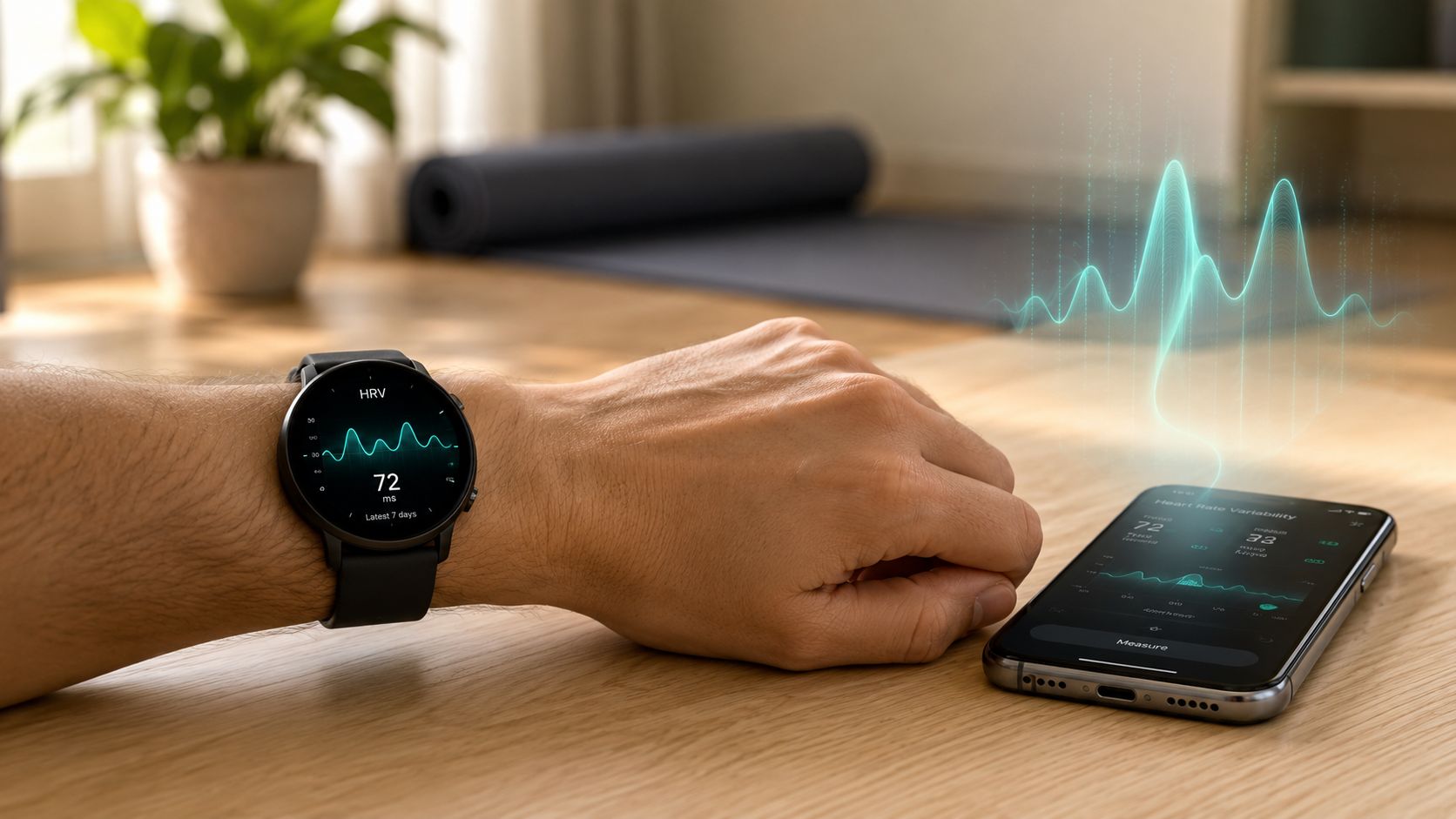
You open your watch app before you're fully awake. Your sleep score looks okay, your heart rate seems familiar, and then there's that other number. HRV. Maybe it's lower than yesterday. Maybe it dropped after a stressful week. Maybe the app hints that your body is “strained,” and now you're wondering if this is useful information or just another health metric designed to make you anxious.
That reaction makes sense. A lot of people want more control over their health, especially when the usual healthcare experience feels rushed, expensive, or hard to access. So they turn to wearables, phone apps, and home tools hoping for clearer answers. Sometimes those tools help. Sometimes they create more questions.
A good heart rate variability app can be helpful. It can show patterns in stress, recovery, sleep, and training load that you might otherwise miss. But it also has limits, and knowing those limits is what keeps the data beneficial instead of scary.
Welcome to a Better Understanding of Your Heart
You're probably here because you've started paying closer attention to your body. Maybe you've had a few nights of poor sleep, a stretch of burnout, or a flutter in your chest that made you look at your smartwatch more often. Or maybe you just want a less passive way to understand what stress is doing to you.
That's a smart instinct.
Many people are told to “monitor symptoms” without being shown what useful monitoring looks like. So when an app gives you a graph, a readiness score, or a low HRV alert, it can feel like you've been handed a dashboard without a manual. You're expected to react, but not always taught how to interpret what you're seeing.
Your data should help you feel more grounded, not more helpless.
A heart rate variability app sits in that middle space between wellness and medicine. It's not just counting steps. It's trying to reflect how your nervous system is handling life. That includes workouts, poor sleep, emotional stress, illness, travel, alcohol, and recovery.
Why people get stuck
Some readers assume a lower number means something is seriously wrong. Others dismiss HRV completely because different apps seem to show different values. Both reactions are understandable.
A better approach is calmer and more practical:
- Use the app as a trend tool so you can notice patterns over time.
- Treat a single reading cautiously because context matters.
- Know when wellness tracking is enough and when a symptom needs a proper ECG review.
If you've been skeptical about what your device can really tell you, that skepticism is healthy. The answer usually isn't “trust every number” or “ignore all of them.” It's learning what the number is measuring and what kind of question it can answer.
What Your HRV App Is Really Measuring
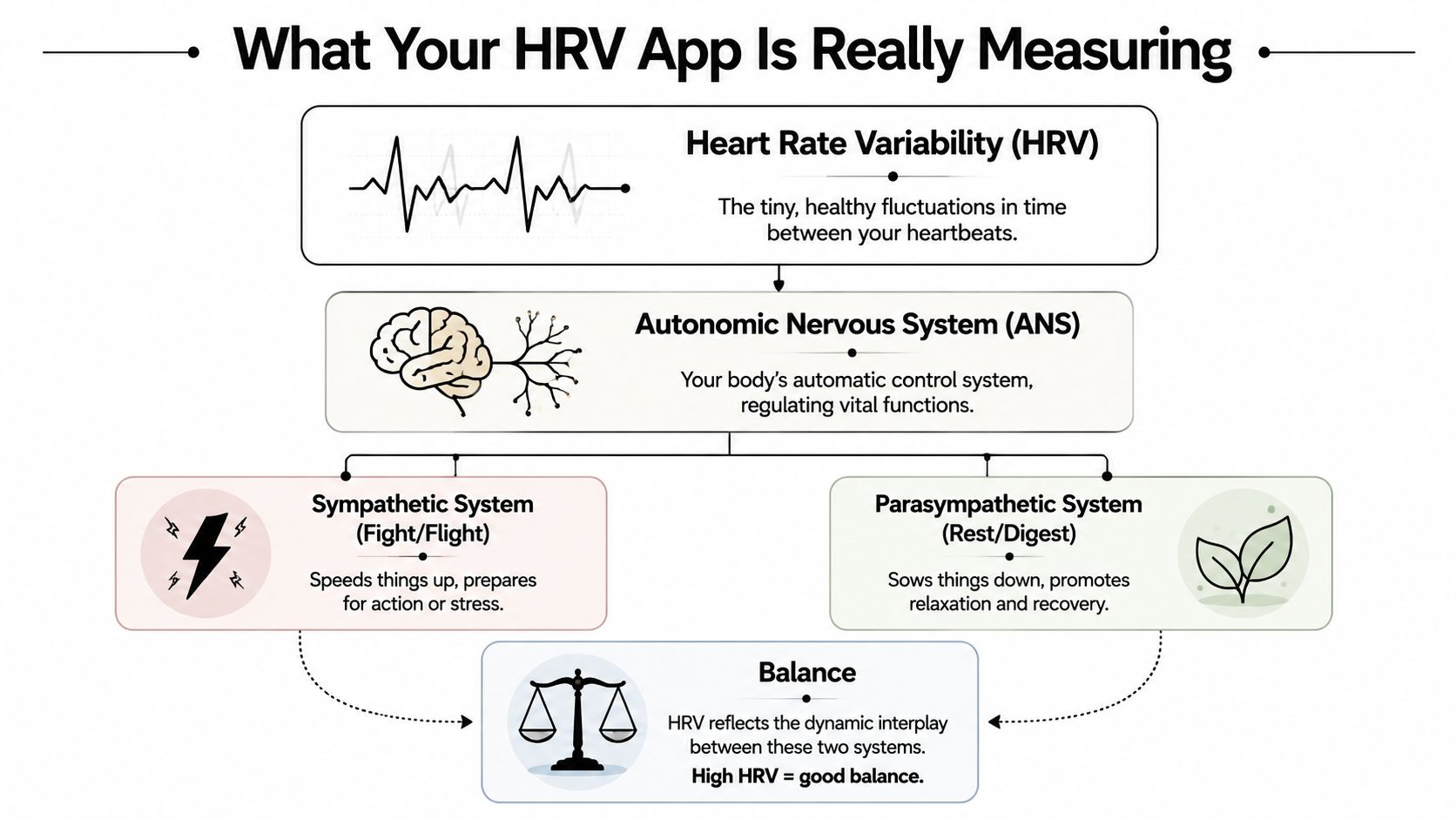
Heart Rate Variability, or HRV, is the fluctuation in time between successive heartbeats, measured in milliseconds. It reflects how your autonomic nervous system is functioning, and most validated HRV apps use RMSSD because it measures short-term HRV without being thrown off by breathing rate, as explained in this clinical overview of HRV measurement and RMSSD.
HRV is not the same as heart rate
This trips people up all the time.
Your heart rate is how many times your heart beats in a minute. Your HRV is the tiny variation between one beat and the next. So even if your pulse is steady overall, the spacing between beats can still shift in healthy ways. That subtle “wobble” is what the app is tracking.
A simple way to think about it is this. A resilient body doesn't act like a metronome. It adjusts. It speeds up and slows down slightly as your nervous system responds to breathing, recovery, stress, and energy demands.
Think of your nervous system like a car
Your autonomic nervous system has two big players that matter here.
One acts like the gas pedal. This is the sympathetic side, often called fight-or-flight. It gets you ready to act, push, focus, and respond to stress.
The other acts like the brake. This is the parasympathetic side, often called rest-and-digest. It helps you recover, digest food, sleep well, and settle down after effort.
HRV gives you a window into how flexibly your body can move between those two states. In general, higher HRV suggests stronger rest-and-digest influence and better recovery capacity. Lower HRV can reflect stress, illness, fatigue, or overtraining.
Why your number may not match someone else's
A normal adult HRV baseline can range from below 20 ms to over 200 ms, depending on the person and the measurement conditions, as described in this review of HRV baselines and app measurement methods. That wide range is why comparisons with friends, social media posts, or generic app ranges usually aren't very helpful.
Practical rule: Your own baseline matters more than somebody else's “great” score.
Most useful HRV interpretation comes from repeated measurements taken in similar conditions. Sleep or first-morning resting readings tend to be the most meaningful because there's less motion and less noise.
What RMSSD actually means in plain language
You don't need to do the math yourself. But it helps to know why this metric shows up so often.
RMSSD is a standard way of calculating short-term HRV. In plain English, it looks at how much the time between neighboring beats changes from one beat to the next. Apps favor it because it's well suited for short recordings and gives a practical view of recovery and autonomic balance.
That's why many heart rate variability app dashboards seem to reduce a lot of complexity into one number. Behind the scenes, they're often using established HRV methods rather than inventing a wellness score from scratch.
Your App Versus a Doctor's ECG Reading
An app and a clinical ECG are not automatically opposites. The real question is what signal your app is using and what question you're trying to answer.
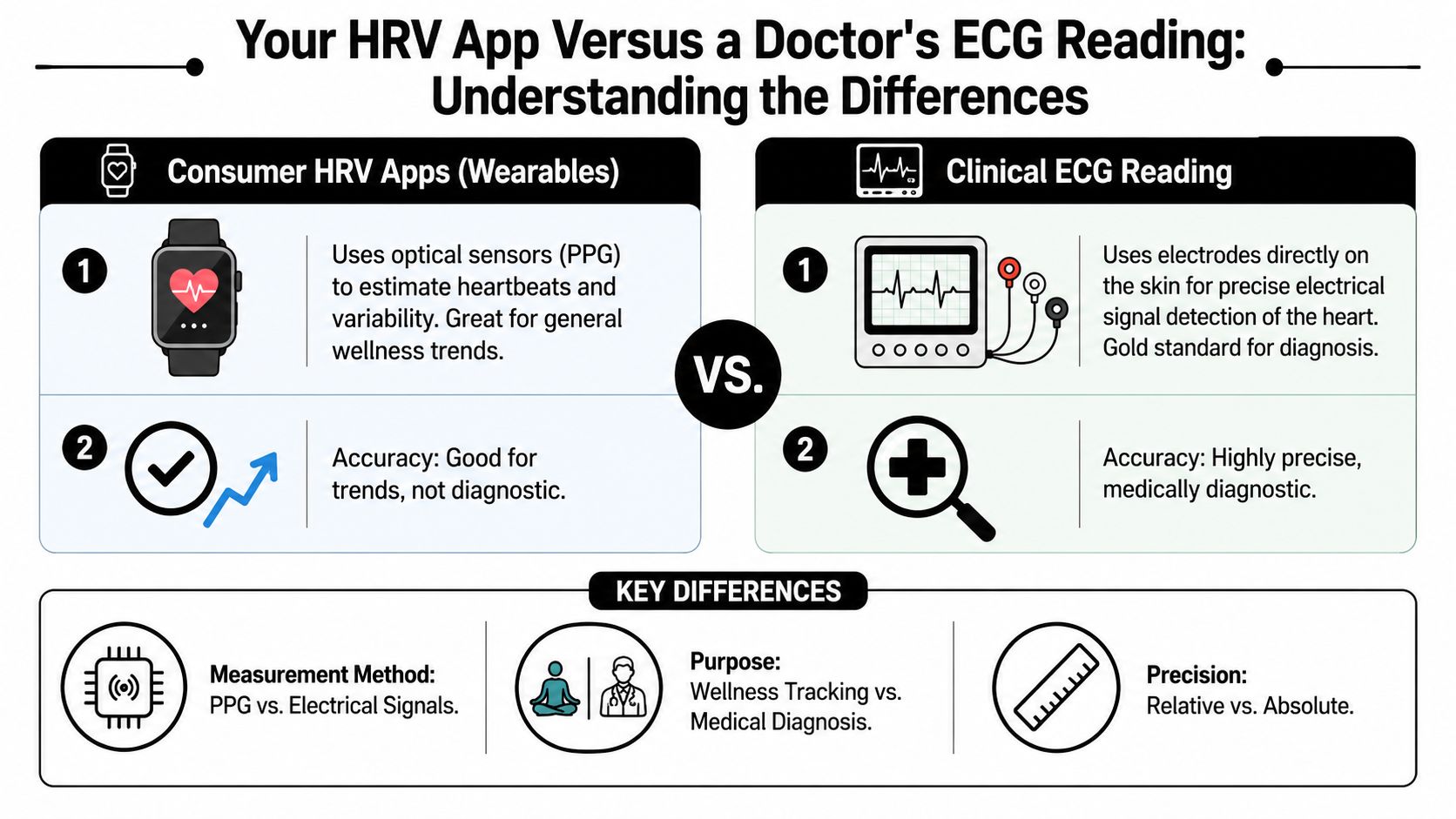
Many consumer wearables estimate beats using PPG, which stands for photoplethysmography. In everyday terms, that means light sensors shining into your skin and detecting blood flow changes. An ECG works differently. It measures the heart's electrical activity directly through electrodes on the skin.
That distinction matters here because some apps estimate HRV from PPG, while others can calculate HRV from ECG recordings. If your setup uses ECG-based data, the app is not guessing from pulse waves alone. It is deriving HRV from the heart's electrical signal, which is generally a stronger foundation for precise beat-to-beat timing.
Snapshot versus blueprint
A better way to think about it is this: PPG-based HRV, ECG-based HRV, and full clinical ECG review are related but different.
A wearable using PPG can give you a useful wellness snapshot. An app calculating HRV from ECG data is working from a more direct signal, which can improve beat-to-beat precision. A clinical ECG review still goes further because it is used to interpret the rhythm itself, evaluate abnormalities, and diagnose arrhythmias in context.
This difference matters because people often expect any HRV score, even an ECG-derived one, to answer medical questions it wasn't built to answer.
What accuracy really means here
There's a lot of marketing around “medical grade” wearables, and it can blur the line for readers trying to make sensible choices.
Cleveland Clinic notes that wrist-worn devices “usually aren't sensitive enough to detect heart rate variability accurately” compared to ECG, as discussed in this review of wearable HRV accuracy and clinical concerns. That concern applies most directly to PPG-based wrist tracking. If your app calculates HRV from ECG recordings, that removes one of the main limitations of optical measurement and gives you a more direct beat-to-beat signal.
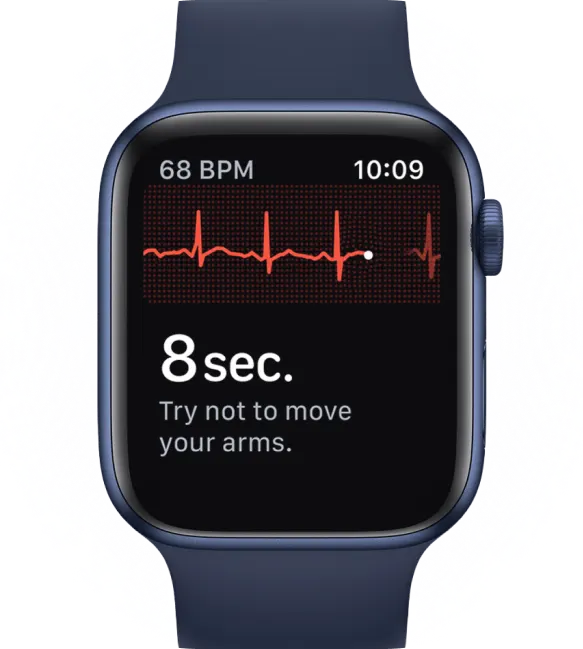
Even so, calculating HRV from ECG is not the same as getting a full clinical interpretation of a rhythm strip. For wellness tracking, stress, and recovery, ECG-derived HRV can be highly useful. For diagnosis, rhythm investigation, or confirming what a strange heartbeat episode was, a clinician's ECG interpretation is still the more appropriate tool. If you want a deeper look at wearable electrical recordings, this explainer on how accurate the ECG is on your Apple Watch helps clarify what those readings can and can't do.
When your app is helpful and when it isn't
A heart rate variability app is useful when you're asking questions like:
- Am I recovering well after poor sleep, heavy training, or a stressful few days?
- Does my body seem more strained than usual this week?
- Are my routines helping me feel steadier over time?
- Is my ECG-derived HRV trend shifting in a way that matches stress, illness, or recovery?
It is not the right tool when you're asking:
- What was that skipped beat or flutter I just felt
- Is this palpitations episode harmless or dangerous
- Do I have an arrhythmia
Use HRV data for patterns in stress and recovery, even when the HRV is derived from ECG. Use rhythm interpretation for questions about what heartbeat pattern was actually happening.
That distinction can save a lot of unnecessary worry.
Making Sense of Your App's Features and Data
Most apps don't just show an HRV number. They wrap it into labels like readiness, recovery, strain, or stress balance. Those can be useful, but only if you know what they're summarizing.
What a readiness score usually means
A readiness score is usually an app's attempt to combine several signals into one simple answer to a daily question: how prepared is your body for effort today?
That score may include HRV, resting heart rate, sleep, and recent activity load. Different apps weigh those pieces differently, so the score itself isn't universal. The value comes from consistency inside one app, not from comparing scores across platforms.
Here's how to use it without overthinking it:
- Green light days often mean your recent recovery signals look stable, so hard exercise or a busy schedule may feel easier.
- Yellow light days usually suggest caution, not fear. Maybe you train, but reduce intensity.
- Red flag days are often best treated as recovery opportunities, especially if you also feel run down.


What accuracy looks like in better apps
Not all app measurements are equally strong. Some tools have been shown to track resting HRV quite closely to multi-lead ECG under the right conditions, according to this comparison of resting HRV technologies.
That doesn't mean one app is perfect for everyone. It means validated tools can be very useful when used correctly, especially for resting measurements.
How to use the dashboard in daily life
The most useful question isn't “Is this app smart?” It's “Can I make better choices with this information?”
A practical routine looks like this:
- Measure consistently
Take readings in similar conditions, such as during sleep or first thing in the morning before coffee, email, or exercise. - Check the surrounding signals
Look at resting heart rate, sleep quality, and recent exertion. One metric rarely tells the whole story. - Match the graph to real life
If HRV drops after travel, alcohol, poor sleep, illness, or conflict, that pattern is meaningful. - Respond gently
Lower readings often call for easier exercise, more rest, better hydration, calmer evenings, or earlier sleep, not panic.
If you're curious how longer-term streams of wearable data fit together, this guide to continuous monitoring in everyday heart tracking helps connect the dots.
Features worth paying attention to
Some app features are much more useful than others.
- Baseline tracking matters because HRV only becomes meaningful when the app learns your normal.
- Raw data access helps if you want transparency rather than only seeing a mystery score.
- Notes or journaling can be surprisingly valuable. A comment like “late dinner” or “hard workout” often explains a dip better than the graph alone.
- Device compatibility matters if you may switch between a watch, chest strap, ring, or phone-based measurement.
A brief visual walkthrough can also help if app dashboards feel abstract at first.
The simplest way to act on your numbers
You don't need to become a biohacker.
Try this lens instead:
- If your body looks stable, keep going.
- If your body looks strained, reduce load.
- If your body looks off and you feel off, pause and pay attention.
That alone makes a heart rate variability app more useful than a passive health dashboard.
How to Read Your HRV Trends Without Panicking
A single low HRV reading can feel personal. It's easy to think your body is failing some hidden test. Usually, that's not what's happening.
Stability matters more than absolute values. Experts also note that low HRV often shows up alongside higher resting heart rate, and that mean heart rate alongside HRV must be considered when you interpret trends, as discussed in this expert discussion of HRV stability, resting heart rate, and context.
Think like a detective, not a judge
A judge looks at one number and issues a verdict. A detective gathers clues.
That's the better mindset for HRV.
Instead of asking, “Is this bad?” ask questions like:
- What happened in the last day or two
- Did I sleep poorly
- Did I train hard
- Was I under unusual stress
- Did my resting heart rate also shift
If your HRV dips after a brutal workout, a late meal, a long flight, or a rough night, that may be your body communicating load, not danger.
One reading is a clue. A pattern is a story.
Build your personal baseline
The most useful HRV trend starts with repetition. Take measurements under similar conditions over several weeks. That gives you a baseline that belongs to you, not to the internet.
Once you have that baseline, you can sort changes into rough buckets:
- Temporary dips that line up with obvious stressors
- Recovery rebounds after rest
- Longer periods of suppression that suggest your body needs more attention
Journaling can be beneficial. A note that says “argument at work,” “poor sleep,” or “heavy leg day” may explain more than any app interpretation tab.
What deserves attention
Not every low period is alarming, but persistent changes deserve respect.
Pay closer attention if you notice a sustained drop from your usual pattern, especially if it comes with symptoms like unusual fatigue, shortness of breath, chest discomfort, dizziness, or a sense that your heartbeat feels strange. If you're dealing with consistently low readings and want a clearer picture of common causes, this article on why HRV can run low offers a helpful starting point.
What matters most is that you stay curious instead of catastrophizing. Your app isn't handing down a grade on your health. It's giving you signals to interpret in context.
When Your HRV App Is Not Enough
A heart rate variability app is good at tracking your body's broader state. It can hint that stress is building, recovery is slipping, or your system is more strained than usual.
It cannot tell you what a specific palpitation was.
That's the line many readers need most clearly explained. If you feel a flutter, skipped beat, racing episode, or an irregular sensation in your chest, an HRV score won't identify that event. HRV is not an arrhythmia analysis tool.
Two different questions, two different tools
HRV tracking answers questions like, “How is my system doing over time?” That's useful for lifestyle, training, and recovery.
An ECG answers questions like, “What rhythm was happening when I felt that symptom?” That's useful when you want clarity about palpitations or irregular beats.
Long-term wearable tracking can help people establish a personal baseline, and diminished HRV has been described as an early predictor of arrhythmia susceptibility, including atrial fibrillation, in this overview of HRV, resilience, and AFib risk. But that still doesn't mean an HRV app can diagnose the rhythm you felt in the moment.
A calmer rule to follow
Use your HRV app for daily pattern recognition. Use an ECG-capable wearable when you feel a distinct heart rhythm symptom and need that episode reviewed.
That distinction gives you a more complete and less confusing home-monitoring setup. One tool helps you understand recovery and stress. The other helps investigate symptoms.
If your app shows a lower trend but you feel otherwise normal, that's usually a cue to review sleep, stress, exertion, and routine. If you feel actual palpitations, a pounding episode, or an irregular rhythm sensation, move beyond HRV and capture the event with ECG if you can.

Wondering about your HRV? Check your ECG-based HRV in the Qaly app.



.png)
.png)