


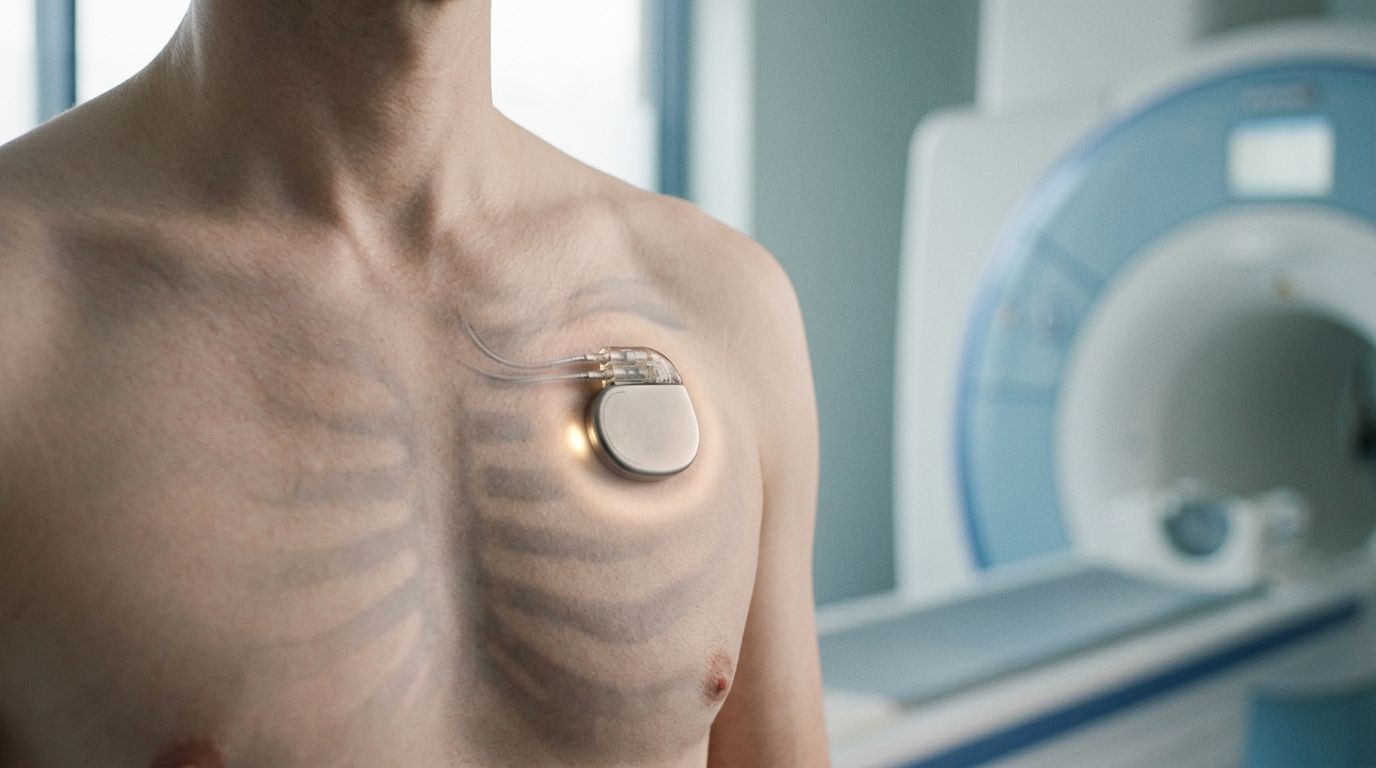


Key Takeaways

User Profile
Hello Heart Hero.
You may be reading this right after a message in your chart, a call from your doctor, or a radiology scheduling note that says you need an MRI. Then you remember your pacemaker, and your stomach drops. A lot of people immediately think, “So that means I can't have the scan.”
That reaction makes sense. For years, many patients were told that MRI and pacemakers were a dangerous mix. The truth today is more nuanced, and much more hopeful. Some people have a device specifically designed for MRI conditions. Others have an older device and may still be able to get the scan safely if the right team and protocol are in place.
If you're skeptical, that's understandable too. Medical advice around this topic has changed over time, and patients often feel stuck between a radiology office saying one thing and a heart clinic saying another. You deserve clear language, practical steps, and a way to advocate for yourself without feeling like you're arguing with the system.
Navigating the News You Need an MRI
You get the call that an MRI is needed. Maybe it is for back pain that will not let up, a new spell of numbness, or a scan your cancer team wants soon. Then someone sees “pacemaker” in your chart, and the plan suddenly slows down.
That moment can feel like a door closing.
It often is not. It is usually a sign that the team needs a more careful checklist before the scan goes ahead. The question is not just whether MRI and pacemakers ever mix. The better question is: What device system do you have, and does the imaging center know how to scan patients with it safely?
Years ago, many clinicians were taught to avoid MRI in anyone with a pacemaker because the scanner's magnetic and radiofrequency energy could affect the device or its leads. That concern was real. But medical practice changed as hospitals developed structured protocols, device makers created MRI-conditional systems, and experienced teams showed that some patients with older devices could still be scanned under the right conditions.
For patients, this can feel confusing because the answer may depend less on one blanket rule and more on whether your hospital has the right process in place. One office may say “no” because they do not scan pacemaker patients. Another center may say “yes” because they have cardiology support, device programming steps, monitoring during the scan, and a clear safety protocol.
That difference matters.
A helpful way to look at it is this. Your pacemaker is not just a single box. It is a system made up of the generator, the leads, the programming, and the setting where the MRI would happen. If one part of that picture is unclear, the team pauses until they can verify it. That pause can be frustrating, but it is often a sign that people are trying to do this carefully, not a sign that the scan is impossible.
Here are the first questions worth asking:
- Ask for your exact device details: “Can you tell me the manufacturer, model, and lead information for my pacemaker system?”
- Ask whether the MRI center has a pacemaker protocol: “Does your center scan patients with pacemakers regularly, including older devices?”
- Ask who will manage the device: “Will someone check and program my pacemaker before and after the MRI?”
- Ask what you can monitor yourself: “Should I track symptoms, pulse changes, or ECG watch readings before and after the scan?”
That last question is easy to overlook, but it gives you a practical role. If you use an ECG watch, it can help you notice your usual rhythm pattern before the scan and compare it afterward if your care team wants that information. It does not replace device checks. It gives you another way to stay engaged in your own care.
If you have an older pacemaker, do not assume the first “no” is the final answer. Ask whether the issue is your specific device, the body area being scanned, or that the facility does not run this protocol. Those are very different problems, and knowing which one you are dealing with helps you ask better follow-up questions.
Clear information lowers fear. It also helps you speak up with confidence.
MRI Conditional vs Non Conditional Pacemakers Explained
The easiest way to understand this is to think of two boats.
A non-conditional pacemaker is like a standard boat that works well in normal weather. An MRI-conditional pacemaker is like a vessel built for a very specific storm. It still has limits, but it was engineered and tested for that environment.
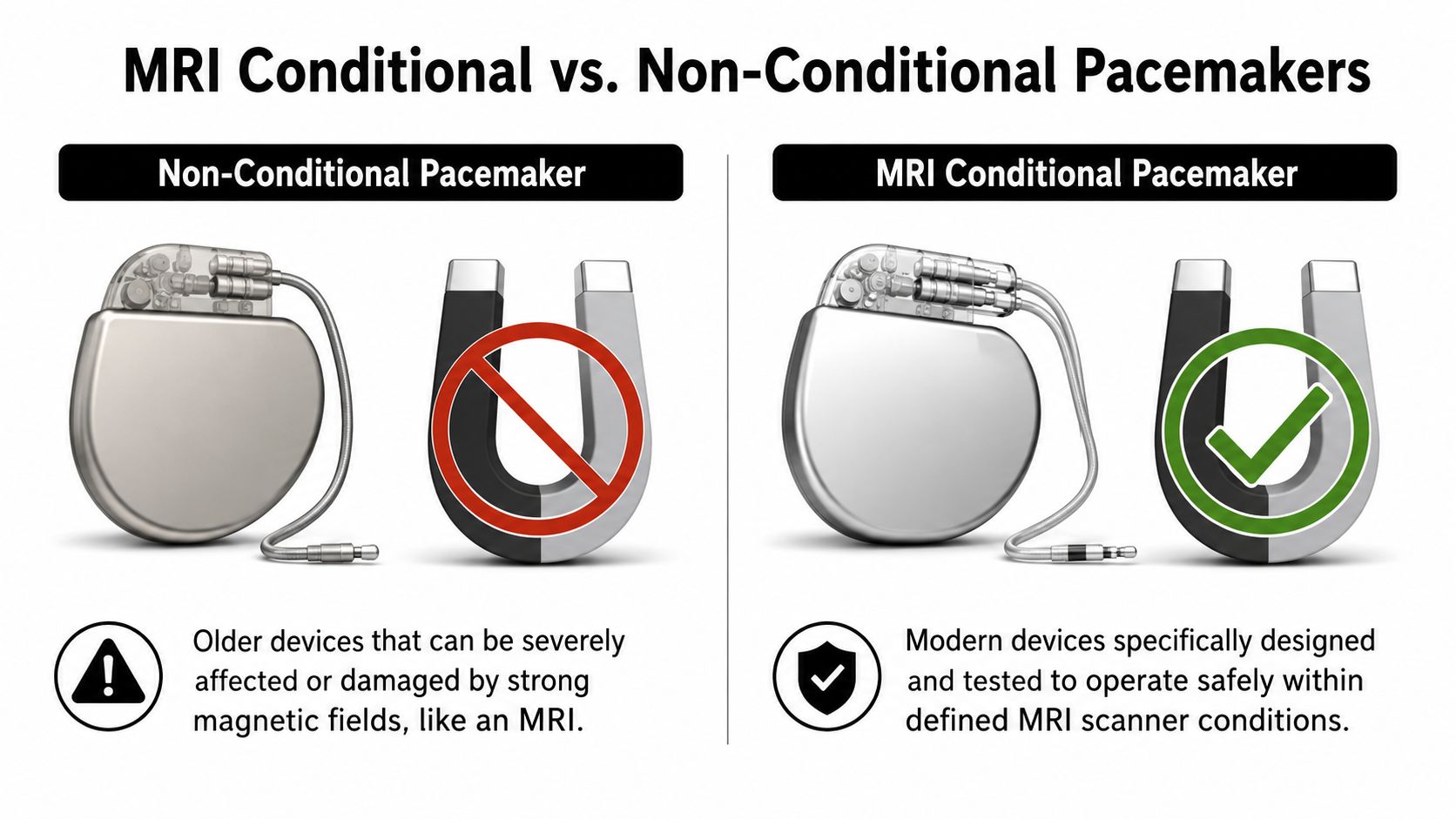
What MRI conditional really means
MR-Conditional does not mean “safe in every MRI, anywhere, under any settings.” It means the device can be scanned within defined conditions. Those conditions can include the scanner type, field strength, body area being scanned, and specific programming steps.
That distinction matters because some patients hear “MRI safe pacemaker” and assume there are no restrictions. In practice, the label is more precise than that.
The first system explicitly labeled MR-Conditional was the Medtronic Revo MRI SureScan, which an FDA panel recommended for approval in 2010 with conditions. Its device and leads included radiopaque markers visible on X-ray, giving clinicians a visual clue that the system was designed for the MRI environment, as described in this report on the FDA panel recommendation.
What changed inside the device
Here is the hardware part in plain English. MRI-conditional pacemakers were redesigned so MRI energy is less likely to disrupt their electronics.
According to the FDA device documentation, MRI-conditional pacemakers incorporate a band-stop filter and reduced feed-through capacitance at the device inputs. These features limit the ingress of MRI-specific frequencies, typically 64 to 128 MHz, and help prevent radiofrequency energy from causing unintended pacing or circuit damage while still allowing normal heart signals to pass through, as detailed in the FDA summary for an MRI-conditional pacemaker platform.
Why patients get confused
Patients often assume the pacemaker “box” is the only thing that matters. It isn't. The entire system matters, including the leads. A generator might be compatible in theory, but if the leads are not part of an approved MRI-conditional system, the answer may be different.
An MRI-conditional pacemaker is not just a label. It's a full system with design features and scan conditions that work together.
If you remember only one point from this section, remember this: “MRI-conditional” is a system-level designation, not a casual synonym for low risk.
How to Know If Your Pacemaker Is MRI Safe
Individuals typically don't need to memorize model numbers until the day MRI comes up. Then it suddenly feels urgent. The good news is that you usually do not have to guess.
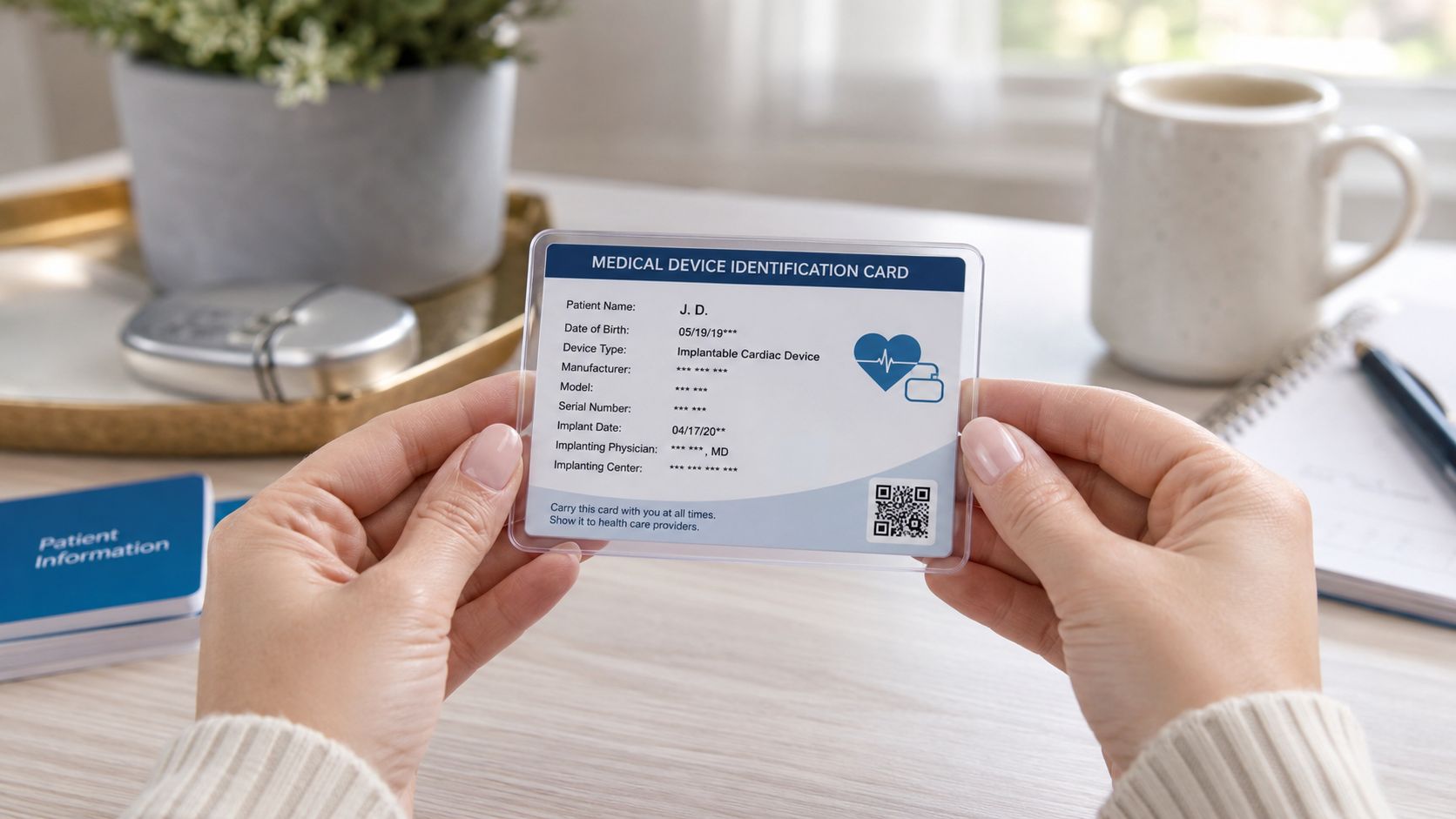
Start with your device ID card
Your patient identification card is the fastest place to start. It often lists:
- Manufacturer name: Such as Medtronic, Abbott, Boston Scientific, or Biotronik
- Model information: For both the pacemaker and the leads
- Serial numbers: Useful when your clinic checks compatibility
Some newer cards may explicitly say MR Conditional or show an MR marking. If yours doesn't, that does not automatically mean it is not MRI-conditional. It may mean the card is older or less detailed.
If the card is missing or unclear
Here's a practical checklist:
- Call your cardiology or electrophysiology office. Ask for the exact generator model and the exact lead models.
- Request the implant record. The operative report from your pacemaker procedure usually lists the implanted hardware.
- Ask whether your full system is MRI-conditional. Use the phrase “full system,” because leads matter.
- Ask whether the imaging center wants documentation in advance. Many do.
If you want a basic refresher on what a pacemaker procedure involves and where device records usually come from, this overview of heart pacemaker operation may help.
Helpful wording for your next call
Sometimes the hardest part is not the medical detail. It's knowing what to say. Try this:
“I need an MRI, and I want to confirm whether my pacemaker generator and leads together are MRI-conditional. Can you send me the exact model numbers?”
That one sentence often gets you farther than asking, “Is my pacemaker MRI safe?”
Another useful question is: “If the system is MRI-conditional, are there any scan restrictions I should know about?” This helps you avoid showing up at radiology only to discover that the body area, scanner settings, or paperwork still need review.
The MRI Workflow With a Pacemaker
You arrive for the scan with two worries in your mind. Will the MRI be safe, and will your pacemaker still be working the way it should when you leave? A good MRI process is built to answer both questions before the scanner even starts.
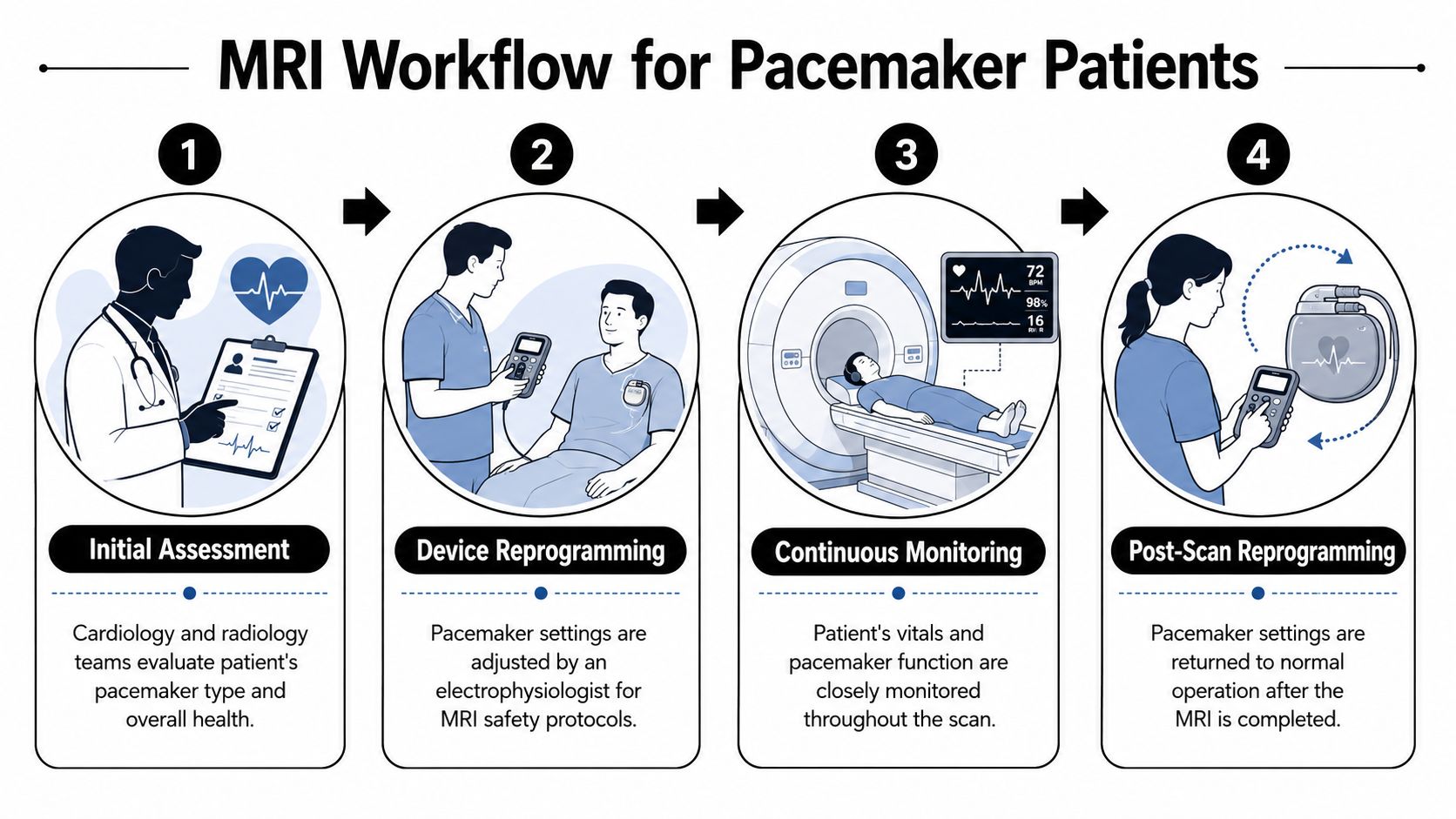
Before the scan
The safest visits are organized long before you change into a gown. The MRI team and the cardiology or electrophysiology team usually review your case ahead of time, confirm your device details, and decide how the pacemaker should be set for the scan.
Then your device is checked and, if needed, temporarily reprogrammed for the MRI environment. You can picture this like putting a phone into the right mode before boarding a flight. The phone still works, but the settings are adjusted for a different environment. Your pacemaker team does something similar, only with much tighter medical oversight.
The staff may also review whether you depend on the pacemaker for every beat, what symptoms to watch for, and who will monitor you during the scan. If you have an ECG watch, this is a practical time to note how you feel and, if your clinician has advised it, save a baseline tracing from your usual routine so you have a simple point of comparison later.
During the scan
Inside the MRI room, the machine is only one part of the process. The monitoring around you matters just as much.
You may have ECG leads attached, a pulse oximeter on your finger, and regular blood pressure checks. The pacemaker has already been placed in the mode chosen for your situation, and trained staff are watching for symptoms or rhythm changes while the images are being taken.
If you want a simple overview of how this test works, this guide to cardiac MRI and what it shows can help you understand what the radiology team is looking for.
Here's a short visual explainer before we go further.


After the scan
When the images are done, the process is not over. Your device should be checked again, and any temporary programming changes should be returned to your usual settings.
That final check protects your everyday life, not just the scan itself. The goal is for you to leave with the pacemaker functioning as intended when you walk, rest, sleep, and go back to your normal routine.
This is also a good moment to pay attention to your body. If your team has suggested using your watch ECG, you can use it later that day or the next day, along with symptom notes, to spot anything that feels different from your baseline. It does not replace a device interrogation, but it can help you describe palpitations, skipped beats, or a new sensation clearly if you need to call.
The safest MRI process for a pacemaker patient looks ordinary from the outside. Quiet preparation, close monitoring, and a careful reset are exactly what you want.
What a well-run visit feels like
A patient-friendly workflow usually includes:
- Clear pre-scan review: Someone confirms your device details before you arrive.
- A coordinated plan: Radiology and cardiology agree on the approach.
- Visible monitoring: You know who is watching your rhythm, oxygen level, blood pressure, and symptoms.
- A post-scan device check: You leave only after the pacemaker has been reassessed.
If one of those steps seems to be missing, it is reasonable to pause and ask, “Has my device been checked before and after the MRI?” That is not being difficult. It is being informed.
What If Your Pacemaker Is Not MRI Conditional
If your pacemaker is older or not labeled MRI-conditional, that does not always mean MRI is impossible. It means the conversation gets more individualized. That can be frustrating, but it can also open a door you may have thought was closed.
Non conditional does not always mean no
Many patients assume only MRI-conditional devices can be scanned. In reality, large clinical series and expert practice have shown that MRI in patients with non-MRI-conditional pacemakers can be low risk when strict protocols are used at experienced centers, as noted in this MRI safety resource discussing non-conditional devices.
That's the key phrase: experienced centers.
A small hospital that rarely handles this situation may say no because they lack the staffing, workflow, or institutional policy. A larger center with a formal protocol may say yes after reviewing the details. Those are not contradictory answers. They are reflections of different systems.
How to advocate without sounding confrontational
You do not need to “win” an argument. You need to invite a better review. Use language like this:
- Try a collaborative question: “I understand my device isn't MRI-conditional. Is there a center with experience scanning patients like me under a strict protocol?”
- Ask for a risk discussion: “What are the specific concerns in my case, and how would a specialized team manage them?”
- Request referral options: “If this facility doesn't do these scans, can you refer me to one that does?”
If you want help understanding what your own paced rhythm can look like on a wearable tracing, this guide to understanding your pacemaker ECG and when to worry can make those conversations easier.
Patients often get stuck because they accept the first “we don't do that here” as if it means “no one can do that anywhere.”
When a second opinion makes sense
A second opinion is reasonable when:
- The MRI is important: The scan could change diagnosis or treatment.
- You received a blanket refusal: No one reviewed your exact device, leads, and clinical need.
- The explanation was vague: You heard “policy” but not an individualized discussion.
Being proactive is not being difficult. It is part of taking care of yourself.
Using Your Watch ECG for Pre and Post MRI Monitoring
An MRI visit is a hospital event. Your peace of mind happens at home too. That's where a watch ECG or a handheld consumer ECG device can be very helpful.
Why a personal baseline helps
If you already use an Apple Watch, Fitbit-compatible ECG feature, Kardia, Samsung wearable ECG, or a similar consumer device, it can help to know what your usual rhythm looks like before the MRI. That way, if you feel fluttering, skipped beats, dizziness, or a strange heart rate after the scan, you are comparing with your normal pattern rather than guessing.
This is especially useful because, while single MRI sessions are generally considered safe, data on the cumulative effects of repeated scans on pacemaker parameters and battery-life-related issues remain limited, as discussed in this review of MRI interactions with pacemakers. Patients who need serial imaging often want more reassurance over time.
A practical home routine
Keep it simple.
- Before the MRI: Take a recording on a day you feel normal.
- After the MRI: Take another only if your care team advises routine follow-up at home, or sooner if you notice symptoms.
- If symptoms appear: Note the time, what you felt, and what the wearable showed.
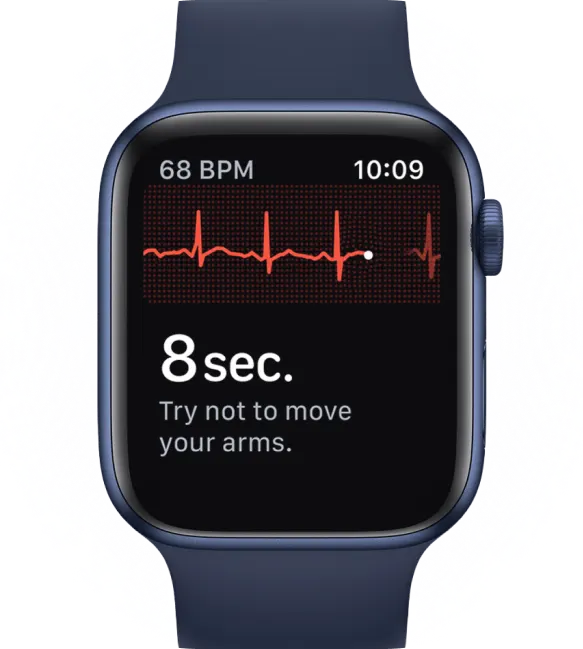
If you're new to this, this walkthrough on how to take an ECG with your Apple Watch covers the basics in plain language.
What your watch can and cannot do
A personal ECG device can support communication. It can show rhythm snapshots that are more useful than saying, “I felt off for a minute.” It can also reassure you when the tracing looks like your usual pattern.
What it cannot do is replace formal pacemaker interrogation. Your watch does not read lead impedance, programmed settings, or battery measurements the way a device clinic can.
A wearable ECG is best used as a symptom diary with rhythm evidence attached.
That combination often helps both patients and clinicians respond more calmly and more accurately.
Frequently Asked Questions About Pacemakers and MRI
Can I have an MRI if I'm pacemaker dependent
Possibly, but that requires especially careful planning. Earlier guidance treated pacemakers as a relative contraindication, meaning MRI could be considered case by case if benefits outweighed risks and strict protocols were followed, as described in this AJR review of MRI in patients with pacemakers. If you're pacemaker dependent, your team will pay close attention to how the device should be programmed during the scan.
Do I need both the pacemaker and the leads checked
Yes. This is one of the most common points of confusion. Patients often know the brand of the generator but not the lead models. MRI decisions usually depend on the complete implanted system, not just the main device.
What should I bring to the MRI appointment
Bring your device ID card, a medication list, the ordering doctor's information, and any paperwork from your cardiology or electrophysiology clinic. If you have symptoms that come and go, bring notes from your phone or wearable showing when they happened. Small details can make the visit smoother.
If you still feel uncertain, write down your questions before the appointment. People remember less when they're anxious, and that's normal.

Use a wearable ECG? Qaly provides human-reviewed interpretations for Apple Watch, Kardia, Fitbit, Samsung, and more.



.png)
.png)